
An encoding scheme for binary data that could be used in systems that only accept printable text.

Base64 Encode / Decode
Encode text to Base64 or decode Base64 back to text.
Base64 encodes bits or text into printable characters A-Z, a-z, 0-9, +, /, to be safely transported in systems designed only for text – such as email, URLs, JSON, HTML. Many protocols and storage formats were not designed for reliable storage of raw binary data; that’s why Base64 exists – its purpose is to allow files, tokens, and other byte data to be stored as normal strings without being corrupted or misread in the process.
Use it as an online Base64 encode tool or as a Base64 decoder: convert text to Base64, or from Base64 to text – in and out of your browser in a flash! No upload, no processing delay, no account required: Just copy and paste your input and the conversion occurs instantaneously.
How to Use Base64 Encode / Decode
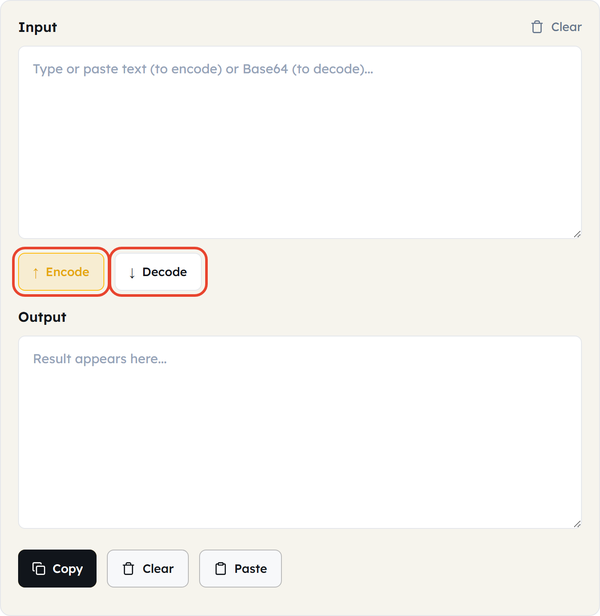
- If you are going from plain text to Base64 output and need to use the Base64 output, use Encode; otherwise use Decode.
- Type your input into the box:
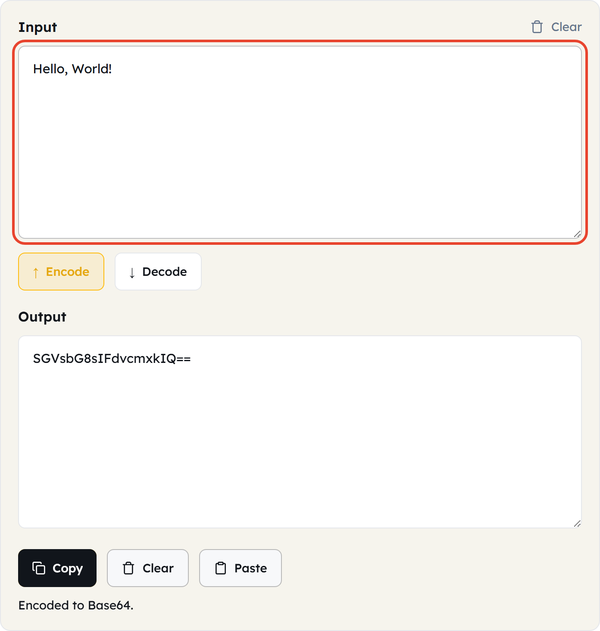
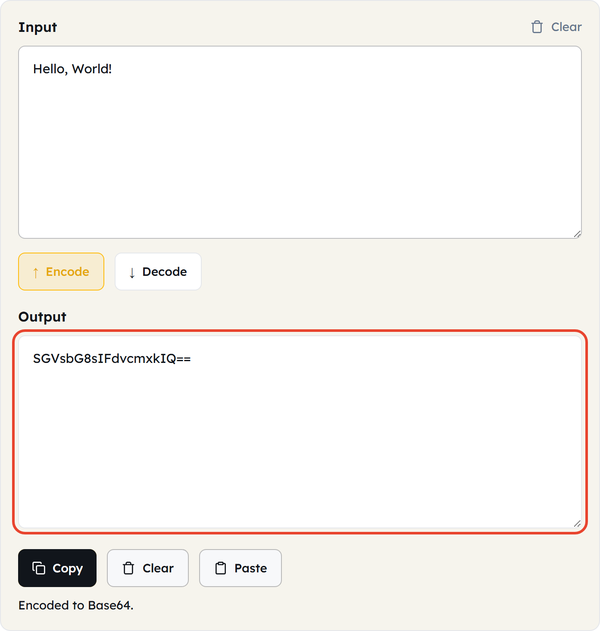
- No wait, no page reload and no button lag!
- Click to copy the result or use Clear to reset and re-enter.
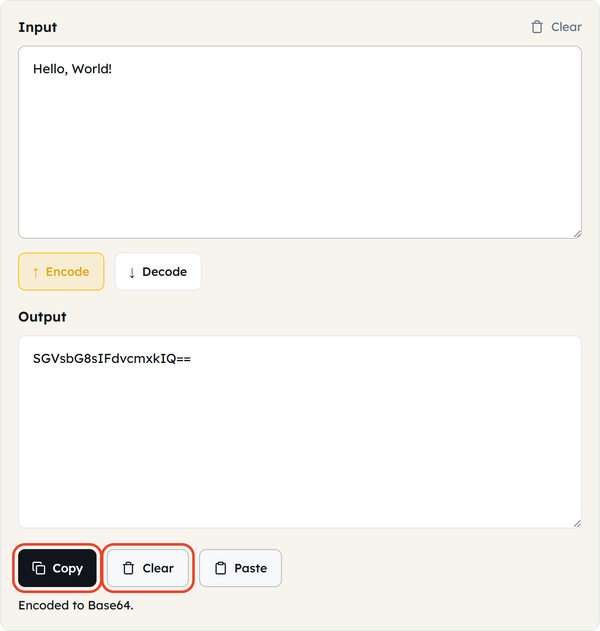
- Apply text from your clipboard using Paste instead of copy/pasting it out of hand
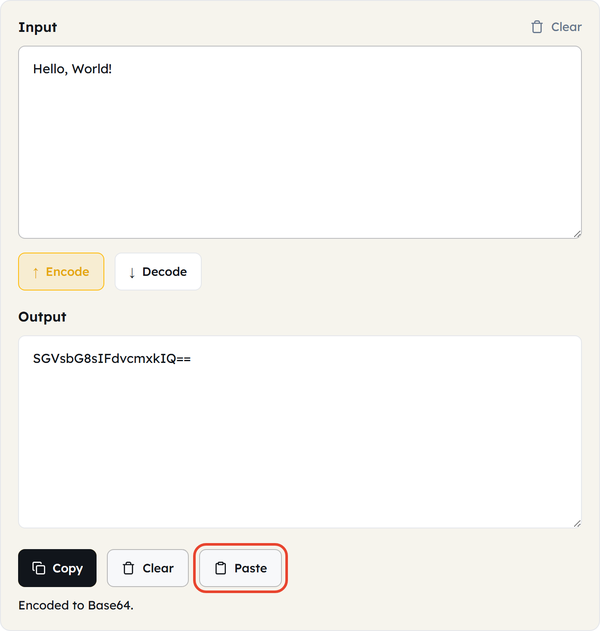
All processing takes place in your browser with client-side processing. This is safe to use even with internal tokens, config values or other data that you’d rather not send anywhere, and your input is never uploaded or sent to a server.
What Is Base64?
- Not a key to encrypt the data — it is a binary-to-text encoding scheme, not encryption.
- Reads 3 bytes (24 bits) and writes them as 4 text characters, 6 bits at a time.
- Uses a fixed 64-character alphabet: A–Z, a–z, 0–9, +, /
- If the input is not a clean multiple of 3 characters, then adds one or two = padding characters to make it a clean multiple of 3 characters, ensuring that the output always ends on a multiple of 4 characters
- Output is about 33% bigger than input; this is not a bug – this is expected and normal growth; rather, the input was less than the output.
- A URL-safe variant replaces + with – and / with _ so that it can be included in a URL or file name without needing to escape the additional characters — this is the one used by JWTs
- Valid Base64 decoding is always possible, and returns the same original bytes, nothing lost or modified.
- Sanitized for consistency with other languages and platforms, based on RFC 4648.
When You’d Use This
- Embedding small images or fonts in HTML or CSS as data URIs.
- Decoding or creating JWT tokens (header/payload are Base64 JSON)
- Reading Kubernetes secrets (Base64 values)
- Sending binary data via APIs or JSON fields
- Sending files with emails (MIME is text-based)
- Adding files/images as text to databases
- Passing config files without losing formatting via environment variables.
- This module will help you work with PEM-encoded certificates (Base64-encoded DER information).
Worked Example
Base64 encode: Input: Hello, World! Output: SGVsbG8sIFdvcmxkIQ==
Base64 decode: Input: SGVsbG8sIFdvcmxkIQ== Output: Hello, World!
The trailing == is a padding — Hello, World! is 13 bytes, not a multiple of 3.
Base64 in Code
JavaScript
btoa("Hello, World!") // encode
atob("SGVsbG8sIFdvcmxkIQ==") // decode
Python
import base64
base64.b64encode(b"Hello, World!") # encode
base64.b64decode("SGVsbG8sIFdvcmxkIQ==") # decode
Command line
echo -n "Hello, World!" | base64 # encode
echo "SGVsbG8sIFdvcmxkIQ==" | base64 -d # decode
Do’s and Don’ts
Do
- Encode binary data using Base64 safely as text
- The output will grow by ~33% in size.
- Use only URL-safe URLs, filenames, and query parameters.
- Encode text as UTF-8 before encoding
Don’t:
- Do not use Base64 as a form of encryption, for it isn’t a secret form of encryption; it’s just re-formatted.
- Be aware that Base64 does not compress data; it only encodes it!
- If your decoder does not look for the padding (padding is added by the decoder), then do not strip it off.
- No intermingling of standard and URL-safe alphabets between encode and decode.
Common Mistakes
- Double-encoding — encoding already-Base64 data again by accident
- Skipping UTF-8 conversion — breaks accented characters, emoji, non-Latin text
- Padding mismatches — some systems strip =, causing strict decoders to fail
- Wrong alphabet — decoding URL-safe output with a standard decoder (or vice versa
Good to Know
- = at the end is padding, NOT the data.
- JWT segments nearly always begin with eyJ — which is Base64 for {“
- The alphabet is defined by RFC 4648, and it is also used in the URL-safe alphabet.
- Data is never hidden or protected by an encoding procedure; unless the confidentiality of the data is important, then encrypt first.
FAQ
What is Base64 encoding used for?
Is Base64 encryption?
No. It can be used by anybody without any key. If privacy is desired, encrypt first!
Why are the Base64 strings ending with = at the end?
Padding. It completes the end of the last group if it is not a multiple of 3 bytes.
Is it possible to decode Base64 into the original?
Yes — Decoding is lossless.
Does this support emoji and non-English characters?
Yes, as long as it’s converted to UTF-8 first, which this tool does automatically.
What’s the difference between standard and URL-safe Base64?
Standard uses + and /. They are replaced by URL-safe with the characters – and _ to prevent them from getting escaped in a URL.
Can sensitive information be pasted here?
Nothing is uploaded; it’s all done in your browser. However, Base64 is not confidential.
Related Tools

Hash Generator
Generate MD5, SHA-1, SHA-256, and more hashes.
- 100% Free
- Customizable
- Download
- Unlimited
URL Encoder
Escape and unescape URL components instantly.
- 100% Free
- Customizable
- Download
- Unlimited
HTML Encoder
Convert HTML entities to text and back.
- 100% Free
- Customizable
- Download
- Unlimited
JSON CSV Converter
Convert JSON arrays to CSV and back.
- 100% Free
- Customizable
- Download
- Unlimited
UUID Generator
Create unique UUIDs for apps and databases.
- 100% Free
- Customizable
- Download
- Unlimited

Timestamp Converter
Convert Unix timestamps to dates and back.
- 100% Free
- Customizable
- Download
- Unlimited