
Yes. This check operates entirely within your browser via JS on your machine and does not send your password to a server, log it or store it anywhere, by this tool or otherwise.
Password Strength
Check strength, entropy, and estimated crack time — evaluated locally.
Many of the people don’t know that their password is weak until there is a security event. Free password strength test that measures how strong your password really is. Enter it below to check password strength and see the time required to crack it. The analysis is performed in your browser only, no password is uploaded, stored or shared.
How to use the Password Strength Checker
- Enter or copy and paste the password you wish to test into the top box.
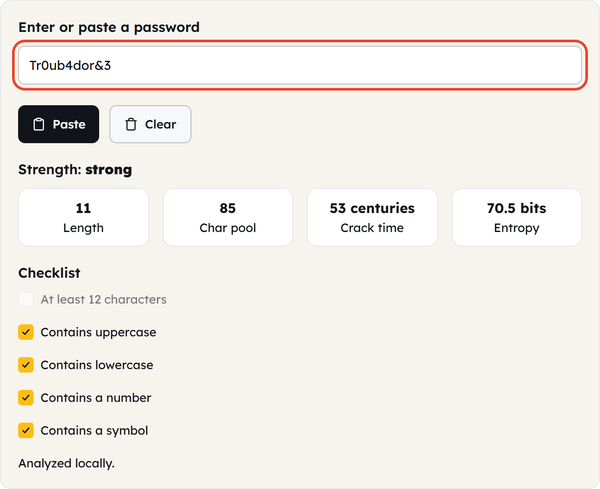
- The strength meter automatically updates as you type, according to the length, variety of characters, and predictable patterns in your typing.
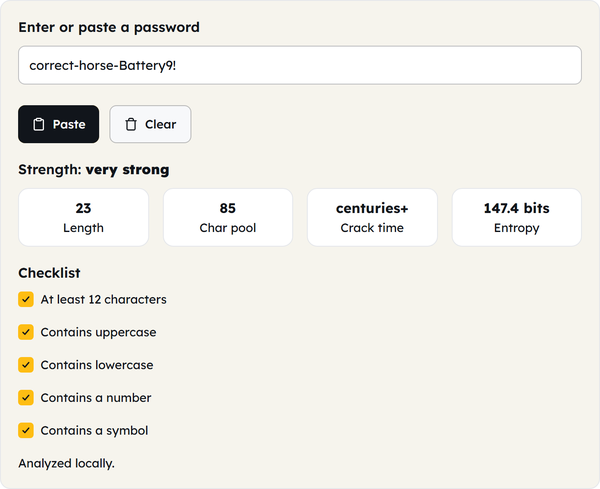
- Check the estimated time to crack to get a concrete idea of how secure the password is, rather than a general “good/bad” indicator.
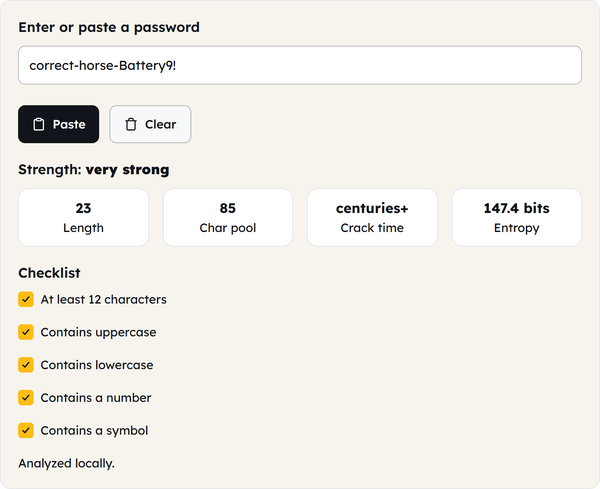
- Use Paste to drop in a password straight from your clipboard, and Clear to wipe the box when you are done.
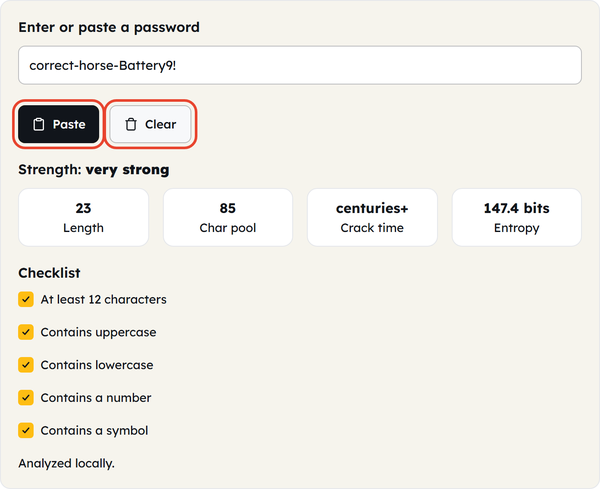
- If it is weak or average, create a new password using a password generator, do not “tweak” the weak password — small changes to a weak password are not enough.
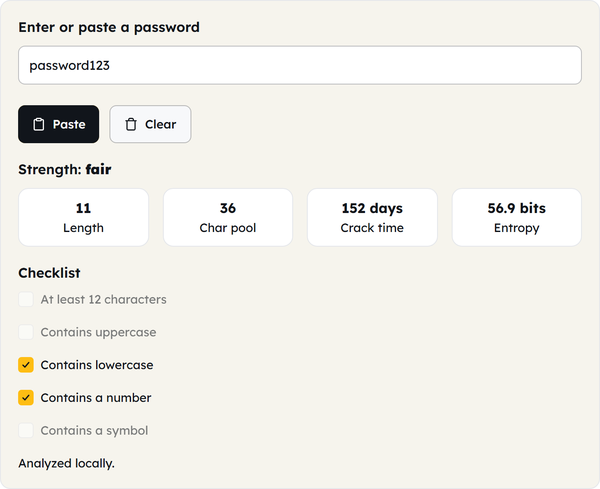
What is a password strength checker?
A password strength checker (also referred to as a password strength meter, a password tester or a password strength testing tool) is used to determine the strength of a password and how easy or difficult it is to guess or test. It’s not only a character counting check; a true good checker examines:
- Length — the factor that usually has the greatest impact on crack time. For every additional character, there will be a greater number of possible combinations.
- The variety of characters used in the password: mixed case (upper/lower) or just one.
- Whether the password is a common word, name or previously hacked password.
- Substitution patterns: Swaps such as “a” → “4” or “s” → “$” are very easy to spot and are part of the automatic checking feature of cracking tools.
- Sequences and repetition – predictable sequences such as “12345” or “aaaa”, or keyboard proximity patterns such as “qwerty” or “asdf”.
Most of these checks are not satisfied by a password that meets a site’s minimum requirements — and that is exactly what separates the best password strength checker from a simple length counter.
When you’d use this
Whether setting up an account on a site that requires sensitive information, after a breach notification to determine if an old or reused password was weak, or when deciding between two password candidates, when assessing an old or reused password you are not sure about, or when teaching someone (a team, family member, new hire) the difference between a weak and strong password, and provide them with a specific example rather than a general rule.
Dos and Don’ts
Do:
- Try a password out before you use it in an important account.
- If the result is “weak” or “average”, use it as motivation to create a new password, rather than to make an easy change to the one you already have.
- A long password is the better choice than a ‘clever’ one — longer is better than more complex when it comes to crack-time.
- Test individual passwords for individual accounts and don’t presume that strength can be carried over.
Don’t:
- Do not assume that a password is secure simply because it is the minimum length or has the minimum character requirement specified by a site.
- Use letter to symbol substitutions (“p4ssw0rd!”) as your primary strengthening method — attackers look for these first.
- Use the same base word or pattern in several “different” passwords you are trying.
- Write in here and then use the same password elsewhere, even a strong password should be different for each account.
Good to know
Just because a website requires a minimum password length, doesn’t mean that it’s a good password. With today’s password-cracking tools, common words, patterns and simple password substitutions like “e” for “3” or “s” for “$” can all be easily tested. The length of the password has the greatest impact on security – the more characters added the more combinations there are. Randoflot passwords and passphrases are typically much more difficult to crack than short, seemingly complicated passwords. There is no need for anything you type to be sent to our servers as this checker runs locally in your browser.
FAQ: Password Strength Checker Questions
Is it safe to type my real password into this checker?
How does a password strength checker work?
It measures the length of the password, the variety of characters used in the password, and words, characters or keystrokes that can be cracked or predicted by the attackers in this modern world.
How much time will it take to crack a weak password?
Short passwords that consist of lower case letters or a common phrase can be broken in seconds to hours. Length and randomness is more important than any individual “trick” to make it much harder, often impossible, to breach a long, random password within any feasible time period.
Does swapping letters for symbols make a password stronger?
Only slightly. Substitutions, such as e for 3 or s for $, are common knowledge to attackers and made easy for the cracking tool, and therefore offer little actual protection over length and true randomness.
Does meeting a website’s minimum password requirements mean it’s strong?
No – Minimum requirements are a minimum standard only, not a strength guarantee. Even though there is an option that the password may be short and predictable, it may meet all the necessary requirements as to the minimum length and characters.
What is a passphrase and why is it better than a password?
Passphrase is a more complex password, which includes several unassociated words with punctuation marks and spaces between them. A long passphrase is both easier to remember and harder to crack than a short “complex” password, due to the exponential increase in crack time for longer passphrases.
Related Tools
Percentage Calculator
Calculate percentages, increases, and decreases.
- 100% Free
- Customizable
- Download
- Unlimited
Age Calculator
Find exact age in years, months, and days.
- 100% Free
- Customizable
- Download
- Unlimited
Date Difference
Measure days between any two dates.
- 100% Free
- Customizable
- Download
- Unlimited
BMI Calculator
Compute body mass index from height and weight.
- 100% Free
- Customizable
- Download
- Unlimited
EMI Calculator
Estimate loan EMI, interest, and total payable.
- 100% Free
- Customizable
- Download
- Unlimited
Discount Calculator
Find sale prices and savings in seconds.
- 100% Free
- Customizable
- Download
- Unlimited