
It means removing the characters a browser never needs in order to render the page – comments, indentation, line breaks and extra blank lines. The markup that is left behaves identically, it is just smaller.

HTML Minifier
Remove comments and collapse safe whitespace to minify your HTML.
Readable HTML – indented, commented and spaced out for editing – carries formatting that a browser does not need to render the page. Minification strips that formatting away, so the same page downloads faster with no visible change.
This HTML minifier works instantly in your browser, shows how many bytes it saves, and lets you copy the result or download it as a ready-to-use.html file.
How to Use the HTML Minifier
- Paste your HTML into the input box, or click Load sample to see it working.
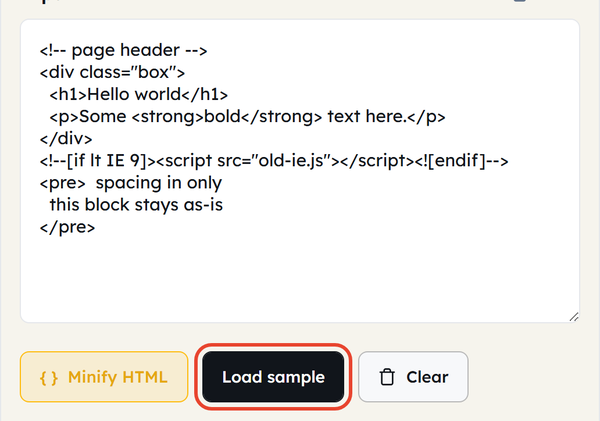
- Click Minify HTML — comments and safe whitespace are instantly removed.

- Compare the Original and Minified byte counts, and the percentage saved.

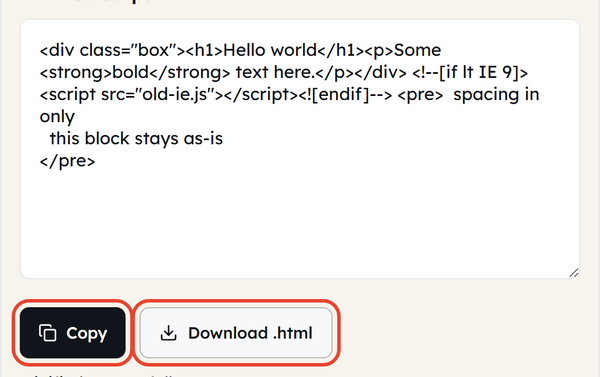
- Use Copy to take the minified output, or Download.html to save it as a file.
- Use Clear to empty both boxes and start a new minification.

All is done client-side in your browser — no uploading of your HTML to a server.
What Is HTML Minification?
- The act of stripping out all the information from an HTML file that the browser never needs to display in order to render it properly — comments, useless white space and unnecessary line breaks.
- Does not affect the appearance or action of the page, only the number of bytes to describe it
- Trickier than minifying CSS or JS, because some HTML whitespace is visually meaningful rather than just a character that can be squashed.
- This is most commonly done automatically by most build tools and static site generators during a production build; it’s most useful for one-off pages, landing pages or projects that don’t have a build pipeline.
Whitespace That Actually Matters
While CSS whitespace is safe to remove, there is some HTML whitespace that is not safe to remove — and this is the part most minifiers (and guides) neglect to mention:
- The <pre> and <textarea> tags preserve whitespace and line breaks – they are part of the rendered output.
- A space between inline elements such as <span>, <a> or <b> renders as a real space on the page, so removing it silently joins the two words together.
- Whitespace inside <script> and <style> tags is left alone – it follows JavaScript and CSS rules rather than HTML ones.
- Blank lines and indentation between block-level tags such as <div> or <p> can be collapsed safely, because they make no visual difference.
- A careful minifier knows the difference; a blunt find-and-replace that strips every space can break the page layout.
When You Would Use This
- Creating a static HTML page or landing page to be deployed.
- Minimising page size to enhance page speed and Core Web Vitals ratings.
- Saves bandwidth on the most heavily accessed pages where every bit matters.
- Cleaning HTML export from a page builder/generator with lots of comments and formatting
- Minifying one file in a few seconds without having to create a full build pipeline or bundler.
- To complete the editing process just before publishing, after writing and testing in readable format
Worked Example
Before minification:
<div class=”card”>
<!– product title –>
<h2>Wireless Mouse</h2>
<p>In stock</p>
</div>
After minification:
<div class=”card”><h2>Wireless Mouse</h2><p>In stock</p></div>
The comment is gone and the indentation and line breaks are collapsed, but the page renders exactly the same – only the file size changes.
HTML Minification and Site Performance
- Smaller HTML files download and parse quicker, directly benefiting First Contentful Paint and Largest Contentful Paint — both Core Web Vital metrics.
- Page speed is also a part of any search engine’s ranking algorithm, giving an extra small SEO boost to faster pages, in addition to the user experience improvement.
- Even though the per-page savings are small, on heavily trafficked pages, the byte savings from minification also result in per-page server bandwidth savings at scale.
- Minification is only one facet of a larger performance strategy — so don’t rely on it to solve all of your slow pages problems, combine it with image optimization, caching, CSS/JS minification for optimum performance.
Do’s and Don’ts
Do:
- Minify HTML – Do this as a final step before deploying to production and not during active development.
- Use an unminified readable source file as the working file.
- Visually verify the minified output to make sure nothing has shifted, particularly around inline elements.
- Use gzip or Brotli compression on your server (if supported) for maximum size reduction, and combine with minification.
Don’t:
- Don’t edit minified HTML directly – it can be hard to read and easy to get wrong!
- If you’re removing whitespace characters, always look for the <pre> tag and inline elements inside of its content, since they may contain significant whitespace.
- Do not minimise HTML that still contains bugs or is still being developed – fix the bugs in a readable format first!
- Do not delete your original.html files after minifying as you will need them to work with in the future.
Common Mistakes
- Not having the original source file to read — assuming the minified version is only a copy, making edits painful
- Stripping whitespace blindly – a find-and-replace that removes every space ignores the whitespace that matters inside <pre> and <textarea>, and between inline elements. The damage shows up in the rendered page, not in the code.
- Minifying too early: compressing HTML before it is complete, then trying to work with the unreadable output later on
- Skipping server-side compression – minification helps, but without gzip or Brotli on top you are leaving most of the saving on the table.
Good to Know
- Minification and beautification are two inverse operations: beautify during development and debugging, minify during production.
- When minified properly, HTML minification is safe and lossless — no changes to the content itself, just a smaller file
- For most contemporary bundlers and static site generators, like Webpack, Vite, and Parcel, HTML is minified automatically during a production build.
- Faster HTML delivery means faster page rendering, which impacts user experience and Core Web Vitals scores that impact search ranking.
Frequently Asked Questions
What is minifying HTML?
Will minifying my HTML cause my page to break?
Usually not, but the risk is real where whitespace is visible: inside <pre> and <textarea>, and between inline elements such as <span> or <a>, where a removed space joins two words together. Check the output on that kind of markup before you deploy.
Is HTML minifying the same as gzip compression?
No. Minification removes unnecessary characters from the code itself; gzip or Brotli then compresses the file again while it travels over the network. They stack, so using both together gives the smallest download.
Should I minify HTML while I am still developing?
No. Keep working in the readable file and minify as a final step before deploying, otherwise you end up editing output that is painful to read.
Is HTML minifying good for SEO?
Indirectly. Smaller files load faster, which helps Core Web Vitals, and page speed is a ranking signal. The gain on one page is small, but across a whole site – and combined with image optimisation and caching – it adds up.
Can I still edit HTML after it has been minified?
You can, but it is slow and error-prone because all the formatting is gone. Keep the original readable file as your working copy and re-minify after each change.