
A number base converter changes a number from one numerical base to another, such as binary to decimal, decimal to hexadecimal, or hexadecimal to binary.
Number Base Converter
Convert numbers between binary, octal, decimal, hex, and custom bases 2–36.
Numbers have been represented in different forms over the years, depending on the number system. Decimal is what we use in our everyday life, and if we’re talking about developers and programmers, they often work with binary, octal, hexadecimal, and other bases for the same numbers we use or know.
Converting these numbers manually for professionals like them can be time-consuming, especially when dealing with larger values or when needing to switch between several bases. Tool Flora introduces a number base converter, which is a straightforward online tool designed to help you convert values between binary, octal, decimal, hexadecimal, and custom bases from 2 to 36.
It is useful for programming, learning number systems, checking calculations, debugging, and working with data with different numerical representations.
How to Use the Number Base Converter
Let’s have a look at the simple working of this tool:-
- Enter the value
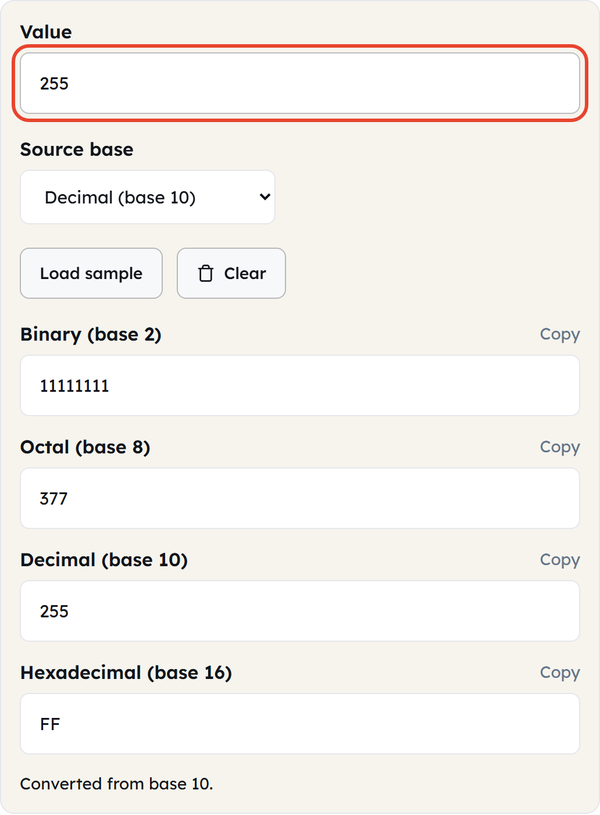
Enter the intended value into the value field for the conversion. You can enter any value, from a simple number like 255 to values like 11111111 or FF, depending on the source base you select.
- Select the source base
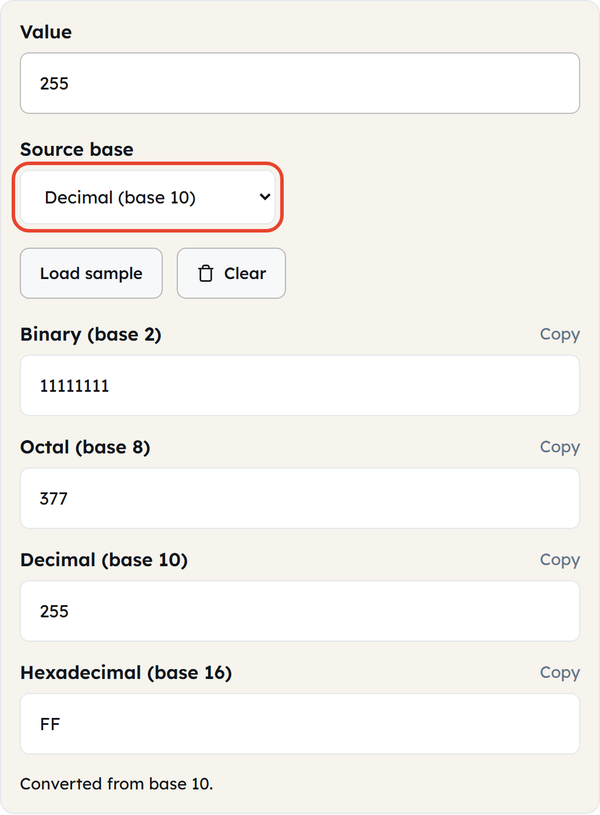
Choose the number system in which your input is currently represented. The options include:-
- Binary (base 2)
- Octal (base 8)
- Decimal (base 10)
- Hexadecimal (base 16)
- Custom base
- Enter the custom base
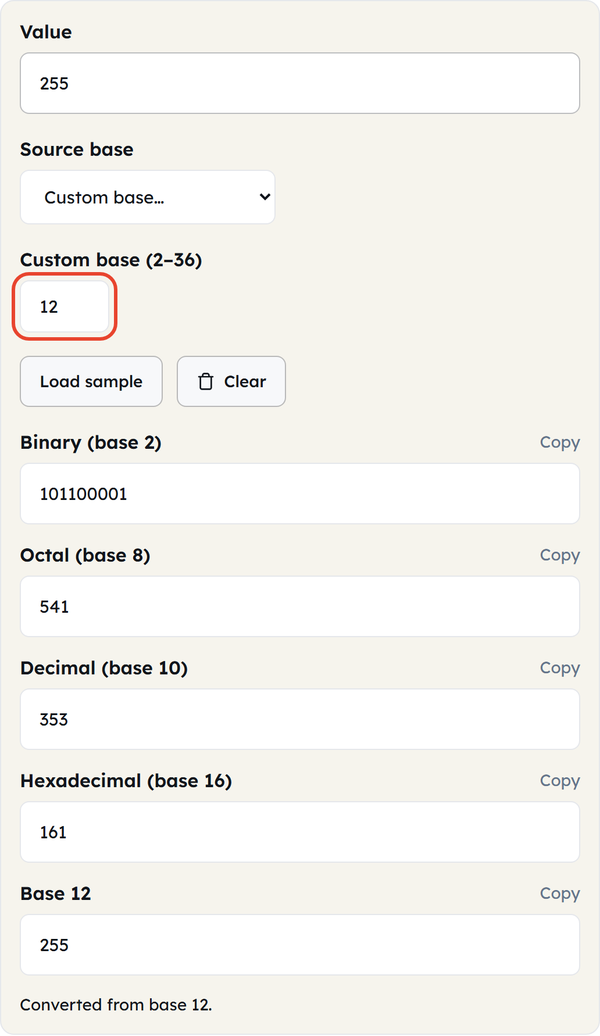
If you need to enter a number system other than the options, then use the custom base from 2 to 36 for your value.
- Check the converted values
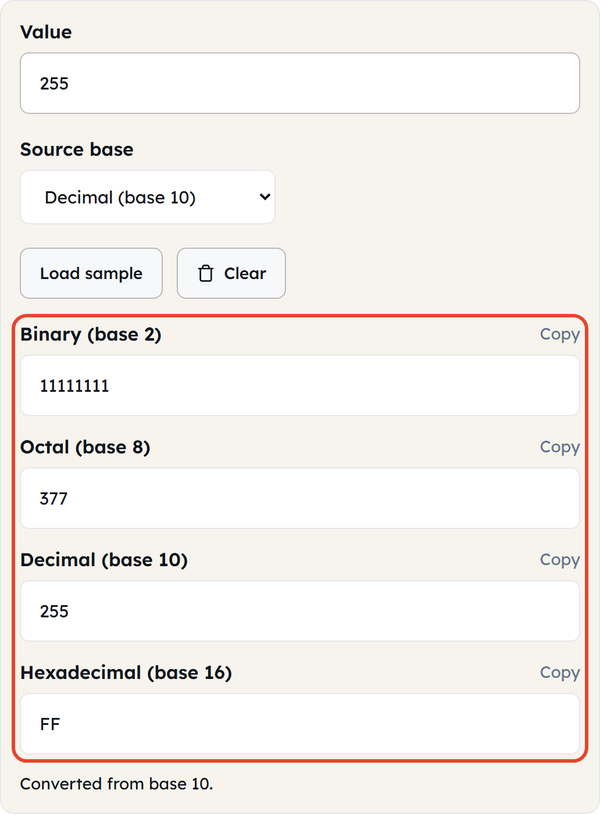
The converter converts the value to binary, octal, decimal, hexadecimal, and other supported output bases. For example, if you enter decimal 255, the equivalent values include:
- Binary: 11111111
- Octal: 377
- Decimal: 255
- Hexadecimal: FF
- Copy the result you need
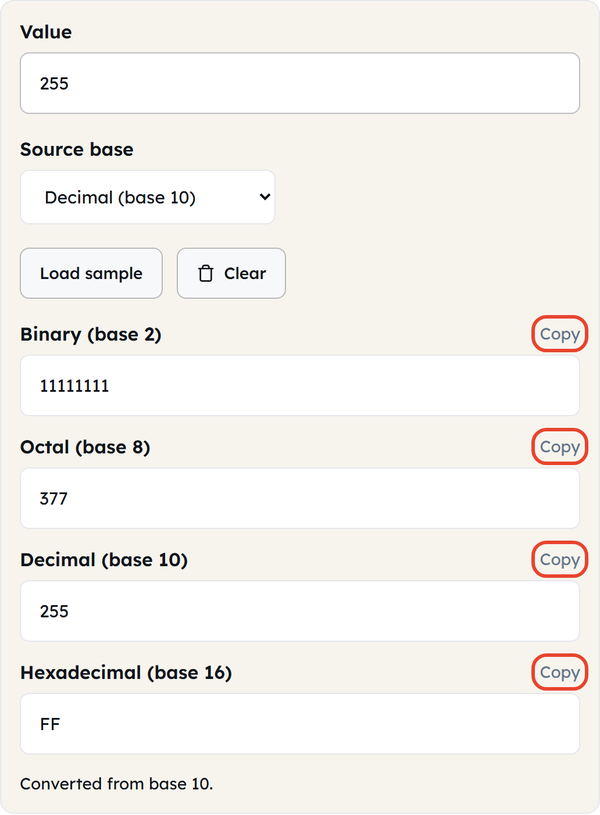
You can copy the result to use it in your code, notes, documentation, or another application.
- Load sample
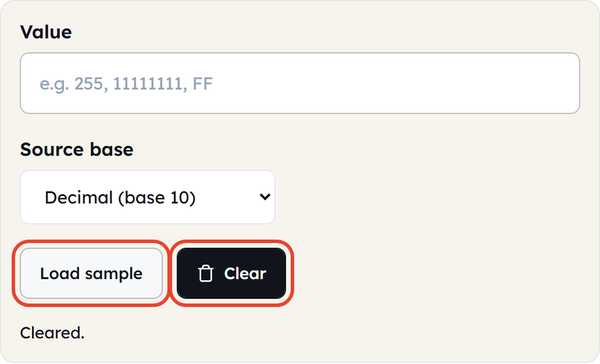
If you want to understand how the converter works before entering your own number, use Load sample to populate an example. You can also use Clear when you want to start over.
What Is a Number Base?
A number base tells you the number of different digits or symbols available in a number system; it is also called a radix.
The decimal system is base 10, which uses the digits 0 through 9. Other systems use different sets of symbols. The most common number systems in computing are:-
| Number system | Base | Digits used |
|---|---|---|
| Binary | 2 | 0-1 |
| Octal | 8 | 0-7 |
| Decimal | 10 | 0-9 |
| Hexadecimal | 16 | 0-9 & A-F |
The same numerical value can have different representations based on the specific number system. For example:-
- Decimal – 10
- Binary – 1010
- Octal – 12
- Hexadecimal – A
Understanding Binary, Octal, Decimal, and Hexadecimal
Binary – base 2
It uses only two numbers: 0 & 1. Each binary digit is called a bit and is fundamental to computing and digital systems. It can be seen when working with bitwise operations, low-level programming, digital logic, and computer data.
For example:-
1010₂ = 10₁₀
Octal – base 8
It uses 8 digits ranging from 0 through 7 and can provide a shorter representation of binary values, as each octal digit corresponds to 3 binary digits. It can be seen in Unix and Linux file permissions, such as 755.
Decimal – base 10
It is the number system used by many in daily life, using digits 0 through 9. Such as 255, 1024, 5000; unless another base is specified, numbers used in our everyday life are considered decimal.
Hexadecimal – base 16
It uses sixteen symbols: 0-9 & A-F. It can provide a compact way to represent binary data, so it is widely used in programming and technical contexts. The letters represent values from 10 to 15:
- A= 10
- B= 11
- C= 12
- D= 13
- E= 14
- F= 15
For example: FF₁₆ = 255₁₀
When You’d Use This
- Programming and development
Programmers and developers can use it to convert between number systems when writing or debugging code.
- Understanding binary data
Binary values can be hard to read when working with low-level data; converting them into decimal or hexadecimal can make it easier to understand.
- Bitwise operations
Binary representations can help when working with operations like AND, OR, XOR, and bit shifting.
- Hexadecimal values
It is useful in programming, debugging, memory-related work, byte values, and web development.
- Web colors
CSS colors can use hexadecimal, such as #FF5733; using hexadecimal can be helpful when working with colors.
- File permissions
Developers and system administrators may encounter octal values when working with Linux or Unix file permissions.
- Learning number systems
Students learning computer science, programming, digital electronics, or mathematics can use a converter to check their manual calculations.
- Debugging
When a program produces a value in one number system, and you need to understand it in another, quick base conversion can save time.
- Checking manual calculations
Even if you know how to perform base conversion yourself, an online converter can quickly solve and verify your result.
- Working with custom bases
Sometimes you may need a number system other than the four common bases. Tool Flora allows custom bases from 2 through 36, making it useful for less common conversion tasks as well.
Do’s & Don’ts
Do’s
- Do select the correct source base before converting a number.
- Do check that every digit is valid for the selected base.
- Do use binary when working with bit-level representations.
- Do use hexadecimal when a compact representation of binary data is more convenient.
- Do double-check important values before using them in production code.
- Do use custom bases when your particular project requires them.
- Do use the Copy button when you need to transfer a result quickly.
Don’ts
- Don’t enter digits that are invalid for the selected base.
- Don’t assume that 10 means the same thing in every number system.
- Don’t confuse hexadecimal A with decimal 10 without considering the base.
- Don’t treat a converted representation as a different numerical value.
- Don’t rely on a conversion without checking the source base first.
- Don’t confuse number-base conversion with data encoding such as Base64. They are different concepts.
Good to Know
The Same Value Can Look Completely Different
A number does not change its actual value simply because its representation changes.
For example:
Decimal: 42
Binary: 101010
Octal: 52
Hexadecimal: 2A
All four represent the same numerical value.
The Position of a Digit Matters
Number systems use positional notation. The value of each digit depends on its position and the base.
For example, binary 1011 means:
1 × 2³
+ 0 × 2²
+ 1 × 2¹
+ 1 × 2⁰
= 8 + 0 + 2 + 1
= 11
The same principle applies to decimal, octal, hexadecimal, and other positional number systems.
Binary and Hexadecimal Have a Useful Relationship
One hexadecimal digit represents exactly four binary bits.
For example:
A = 1010
F = 1111
This makes it easy to move between binary and hexadecimal without performing a full decimal conversion.
Hexadecimal Is More Compact Than Binary
A binary value can become quite long.
For example:
Binary:
11111111
can be represented more compactly as:
Hexadecimal:
FF
This is one reason hexadecimal is so common in programming and technical documentation.
Not Every Character Is Valid in Every Base
The available digits depend on the base.
For example:
Binary → 0 and 1
Octal → 0–7
Decimal → 0–9
Hexadecimal → 0–9 and A–F
So 102 cannot be a valid binary number because binary has no digit 2. The converter checks this for you and shows a message such as “Digit ‘2’ is not valid for base 2. Allowed digits: 01.”
Custom Bases Extend Beyond the Common Four
Tool Flora supports custom bases from 2 to 36. This allows you to work with number systems beyond binary, octal, decimal, and hexadecimal.
Number Base Conversion Is Not the Same as Encoding
Converting 255 from decimal to hexadecimal gives:
FF
That is a change in numerical representation.
Encoding, such as Base64, serves a different purpose and should not be confused with ordinary number-base conversion.
Common Number Base Examples
Here are some useful conversions:
| DECIMAL | BINARY | OCTAL | HEXADECIMAL |
|---|---|---|---|
| 8 | 1000 | 10 | 8 |
| 10 | 1010 | 12 | A |
| 16 | 10000 | 20 | 10 |
| 42 | 101010 | 52 | 2A |
| 100 | 1100100 | 144 | 64 |
| 255 | 11111111 | 377 | FF |
| 256 | 100000000 | 400 | 100 |
| 1024 | 10000000000 | 2000 | 400 |
Manual Conversion vs Online Conversion
Learning how to convert numbers manually is useful because it helps you understand how different number systems work.
For example, converting binary 1010 to decimal means adding the values represented by each position:
1 × 8 = 8
0 × 4 = 0
1 × 2 = 2
0 × 1 = 0
Total = 10
But manually converting large numbers can take more time and increase the chance of a small calculation error.
An online converter is useful when you already understand the concept but need a quick result or want to verify your calculation.
Frequently Asked Questions
What is a number base converter?
What number bases does Tool Flora support?
Tool Flora supports binary, octal, decimal, hexadecimal, and custom bases from 2 to 36.
What is binary?
Binary is a base-2 number system that uses only 0 & 1.
What is hexadecimal?
Hexadecimal is a base-16 number system that uses 0–9 and A–F. It is widely used in programming and computer-related applications.
What is octal?
Octal is a base-8 number system that uses digits from 0 through 7. It is particularly familiar in Unix and Linux file permission notation.
Is 10 the same in every number system?
No. The representation 10 has a different value depending on the base.
For example:
10₂ = 2₁₀
10₈ = 8₁₀
10₁₀ = 10₁₀
10₁₆ = 16₁₀
What is FF in decimal?
FF in hexadecimal is 255 in decimal.
What is 255 in binary?
Decimal 255 is:
11111111
in binary.
What is 255 in hexadecimal?
Decimal 255 is:
FF
in hexadecimal.
Can I convert a custom number base?
Yes. Tool Flora allows you to specify a custom base from 2 to 36, so you can work with number systems beyond binary, octal, decimal and hexadecimal.
Why is binary important in computing?
Binary is fundamental to digital computing because digital systems represent information using two states. Developers encounter binary when working with bits, bitwise operations, low-level data, and other computer-related tasks.
Can I copy the converted result?
Yes. Tool Flora provides individual Copy buttons for the displayed conversion results.
Is a number base converter useful for students?
Yes. It can be useful for learning and checking exercises involving binary and decimal conversion, octal, hexadecimal, and other number systems.