
UUID stands for universally unique identifier, a 128-bit value used to distinguish objects, records, resources, and other entities in software systems.

UUID Generator
Generate cryptographically-random version 4 UUIDs in bulk, with formatting options.
A UUID is a unique identifier used in applications, databases, APIs, and other software systems. Creating these identifiers by hand is not practical, especially when you need more than one.
Tool Flora’s UUID generator creates them directly in your browser. Instead of typing an identifier out yourself, you can generate up to 100 at a time and paste them wherever you need them.
Whether you are testing an application, setting database records, working with APIs, or simply putting a project together, this tool saves you from doing it manually.
How to Use the UUID Generator
We designed this tool to work quickly and to be easy to use; it doesn’t require any special software.
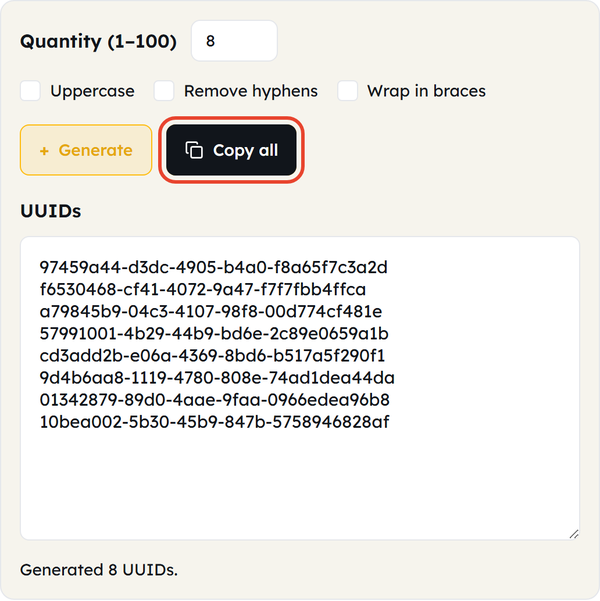
- Open the UUID generator — open the Tool Flora UUID generator in your browser. It fills the UUIDs box with five identifiers the moment the page loads, so there is something ready to copy straight away.
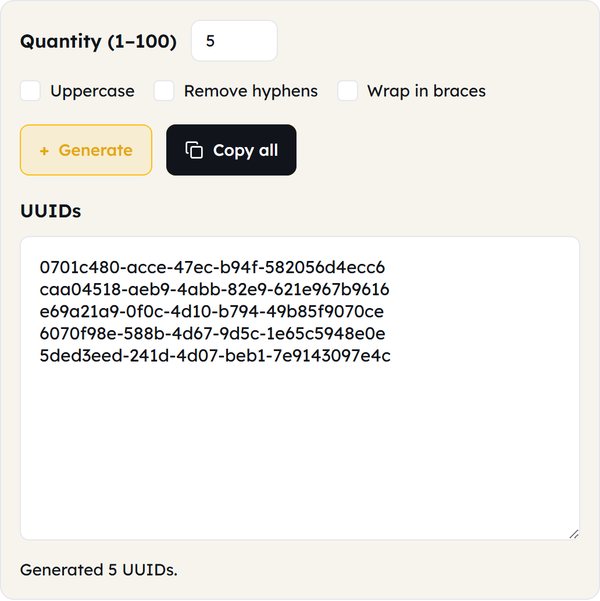
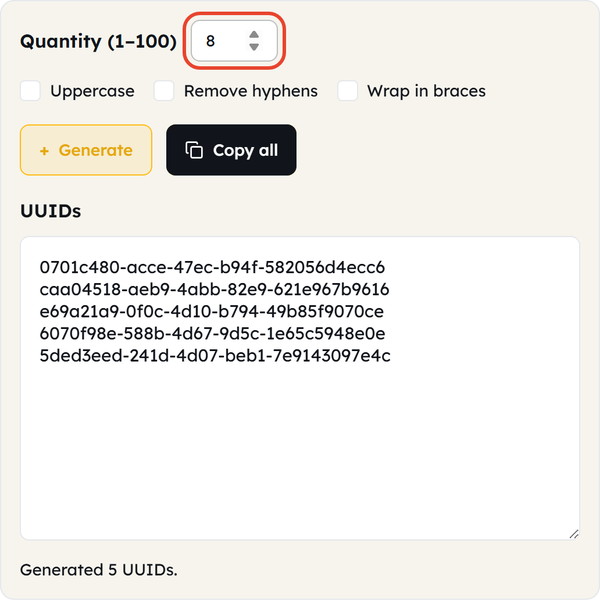
- Choose how many you need — set Quantity to any number between 1 and 100. It starts at 5, and a value outside that range is pulled back to the nearest limit.
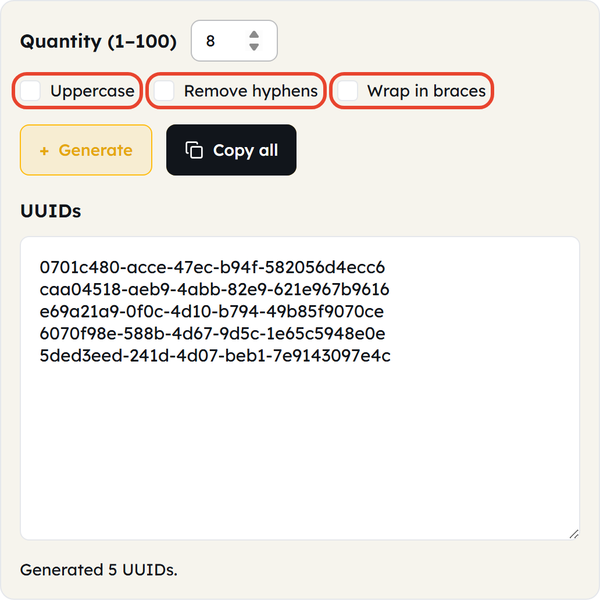
- Pick a format if you need one — tick Uppercase for capital letters, Remove hyphens for a plain 32-character string, or Wrap in braces for the {…} form that some systems expect. Leave all three unticked for the standard lowercase, hyphenated format.
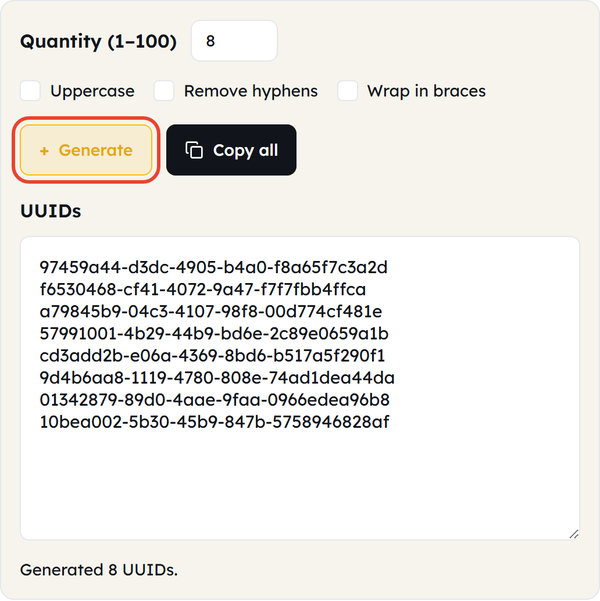
- Click Generate — the tool creates a fresh set of version 4 UUIDs and reports how many it made. Every click replaces the list with completely new identifiers.
- Copy the result — click Copy all to send the whole list to your clipboard, then paste it into your application, database, code, or test data. The UUIDs box itself is read-only, so make any edits after you have pasted the values.
What Is a UUID?
UUID stands for universally unique identifier. It is a 128-bit identifier written as a sequence of hexadecimal characters, designed to give users, database records, sessions, files, transactions, and other objects an identity that is extremely unlikely to collide with any other identifier.
It looks like 550e8400-e29b-41d4-a716-446655440000
Unlike simple sequential IDs such as 1, 2, and 3, UUIDs are much longer and are designed to be unique without a central system handing out the next number.
When Would You Use This?
- Database Records — UUIDs can identify users, products, orders, posts, or any other record in a database.
- API Development — developers often use UUIDs to identify the resources an API returns or references.
- Software Development — use UUIDs when different objects or resources inside an application need distinct identifiers.
- Testing — generate a batch of UUIDs when you need realistic test data for an application, API, database, or development environment.
- Distributed Systems — UUIDs help when separate services need to create identifiers independently, without relying on one central counter.
- Temporary Identifiers — during development or testing you may need unique-looking identifiers for files, objects, requests, or other resources.
- Database Migration — UUIDs are useful when moving or combining records between systems where simple numeric IDs could overlap.
- Developers and Students — if you are learning programming, APIs, databases, or backend development, a UUID generator is an easy way to create identifiers for examples and experiments.
Do’s and Don’ts
Do’s
- Use UUIDs when your application needs identifiers with a very low probability of collision.
- Use Copy all rather than selecting the text by hand, so no character is lost.
- Validate the UUID format if your application requires a specific UUID version.
- Keep identifiers consistent with the data model used by your application.
- Use generated UUIDs for development, testing, and other appropriate software tasks.
- Check your application’s requirements before choosing UUIDs over another identifier format.
Don’ts
- Don’t assume every UUID is interchangeable with every other UUID format.
- Don’t change characters in a UUID by hand unless you know exactly why you are doing it.
- Don’t treat a UUID as a secret password or an authentication credential.
- Don’t assume that a UUID by itself provides security.
- Don’t use a UUID generator in place of a security-token generator when you need cryptographically appropriate authentication or authorization tokens.
- Don’t store unnecessary identifiers if a simpler ID system suits your application better.
Good to Know
- UUIDs are 128-bit identifiers.
- They are commonly written as 32 hexadecimal characters separated by 4 hyphens.
- That layout is usually described as the 8-4-4-4-12 pattern.
- They can be generated without first obtaining an unused number from a central authority.
- Different UUID versions exist and serve different purposes; this tool produces version 4, the randomly generated kind.
- The random values come from your browser’s built-in cryptographic random source, not from an ordinary random-number function.
- Nothing is sent anywhere — the identifiers are created in your browser and never leave your machine.
- You can generate between 1 and 100 at a time and take the whole list with one click on Copy all.
- Uppercase, hyphen-free, and brace-wrapped output are the same UUID written three ways, so pick whichever your system expects.
- A UUID is an identifier, not a security credential.
- UUID generators aim to give each object an identity that avoids collisions.
- They can identify an object without revealing a sequential count.
- Before using a UUID, check which version and format your application or database expects.
UUID vs. Sequential ID
Both are used to identify records, but they work differently.
A sequential ID might look like 1001, and the next one 1002, while a UUID looks more like 7f3a9c2e-5b41-4f8d-a7c1-2e9d6b84f120
Sequential IDs are shorter and easier to work with, while UUIDs give you a far larger identifier space and can be generated independently by any service.
Application requirements, database design, performance, and a few other factors decide which of the two suits your project.
What Is UUID Version 4?
Version 4 is the most common way of generating an identifier. It follows the standard UUID structure but sets specific bits that mark it as version 4 and record the UUID’s variant.
For example, a version 4 UUID can look like: f47ac10b-58cc-4372-a567-0e02b2c3d479
The 4 at the start of the third group indicates the UUID version.
If your application specifically requires UUID v4, this generator produces version 4 only — but check any other generator you use rather than assuming that every UUID is a v4 UUID.
UUID Generator for Developers
A UUID is especially useful when you are working on software that needs a lot of unique identifiers during development. Instead of writing values such as:
user-001
user-002
user-003
…set Quantity to the number of records you need and generate the whole batch at once. That helps when you are creating test records, preparing API examples, populating a development database, or experimenting with application logic.
Frequently Asked Questions
What is a UUID?
What does a UUID look like?
A standard textual UUID is written as hexadecimal characters in an 8-4-4-4-12 pattern, such as: 550e8400-e29b-41d4-a716-446655440000
How do I generate a UUID?
Open the Tool Flora UUID generator in your browser, set Quantity to the number you need, click Generate, then click Copy all and paste the result wherever you want it.
Is a UUID the same as an ID?
A UUID can be used as an ID, but an ID doesn’t have to be a UUID. IDs can also be plain numbers, strings, and other identifier formats.
What is UUID v4?
It is the UUID version built from random values, with specific bits reserved to identify the version and the UUID variant. This tool generates version 4 UUIDs.
Are UUIDs really unique?
They are designed to avoid collisions; however, “universally unique” should not be read as a mathematical guarantee. For most software development and database work, the probability of a collision is small enough that UUIDs are practical as unique identifiers.
Are UUIDs secure?
A UUID is an identifier, not a security mechanism. You should not treat a UUID as a password, an authentication token, or a secret key. If your application needs a secure random value, use a generator and a method designed for that purpose.
Can I generate multiple UUIDs at once?
Yes. Set Quantity to anything from 1 to 100 and click Generate, then use Copy all to take the whole list to your clipboard in one go.
Can I use generated UUIDs for testing?
Absolutely. UUIDs are useful for creating test records, API requests, database entries, and other development data.
Is the UUID generator free, and do I have to install anything?
It is free, and there is nothing to install. Tool Flora’s UUID generator runs directly in your browser, and the identifiers are created on your own machine rather than on a server.
Related Tools
Base64 Encoder
Encode or decode Base64 strings safely.
- 100% Free
- Customizable
- Download
- Unlimited

Hash Generator
Generate MD5, SHA-1, SHA-256, and more hashes.
- 100% Free
- Customizable
- Download
- Unlimited
URL Encoder
Escape and unescape URL components instantly.
- 100% Free
- Customizable
- Download
- Unlimited
HTML Encoder
Convert HTML entities to text and back.
- 100% Free
- Customizable
- Download
- Unlimited
JSON CSV Converter
Convert JSON arrays to CSV and back.
- 100% Free
- Customizable
- Download
- Unlimited
Timestamp Converter
Convert Unix timestamps to dates and back.
- 100% Free
- Customizable
- Download
- Unlimited