
No, this is just a rough number to take into account. Google is not counting characters, it is transforming titles and will cut them according to pixel length. The number 60 is helpful because it is within pixel limit of common titles, but titles with many letters in caps can be cut before they reach 60 and titles with mostly lowercase letters can lead to titles going over the limit.

Meta Title Checker
Check title length, pixel width, and SERP-friendly limits before you publish.
The meta title can be the first thing a person will see about your page, even before the person clicks on it. The meta title provides information about the site to search engines and users. However, if the title is not the best in terms of its length and meaning, then it means that you can lose important visits to your site.
This title tag checker helps in identifying the quality of your title. Used as a meta title length checker, it takes the title you paste in and reports the character count, the pixel width and more. The tool takes care of the most important numbers. You should remember that 60 and 600 are the most important digits in title checking.
Despite the numerical aspect, the Meta Title Checker has a checklist of things you could easily overlook. The checklist includes titles that are too short or too long as well as those that have unnecessary spaces at the beginning or at the end. As a page title checker it is designed for everybody, whether you are an SEO consultant or simply a blogger.
How to Use the Meta Title Checker
It runs entirely in the browser, and the numbers update on every keystroke.
- Paste or type your page title into the box at the top of the tool.
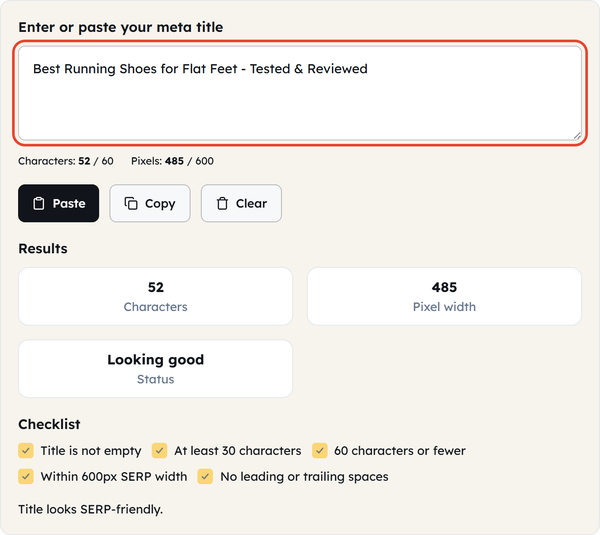
- Watch the two live counters as you type: Characters out of 60, and Pixels out of 600.
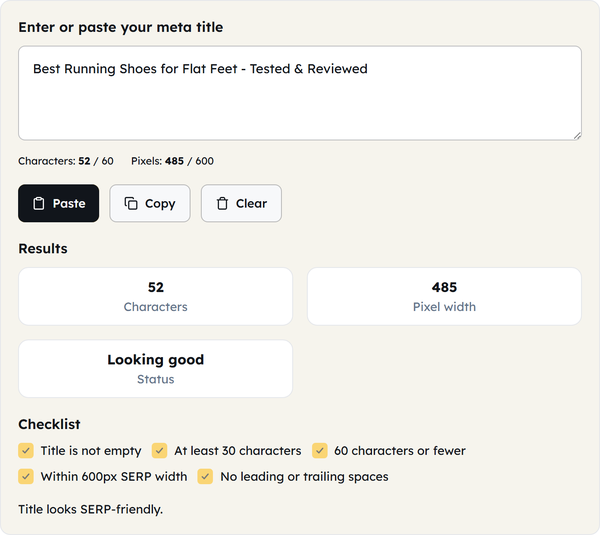
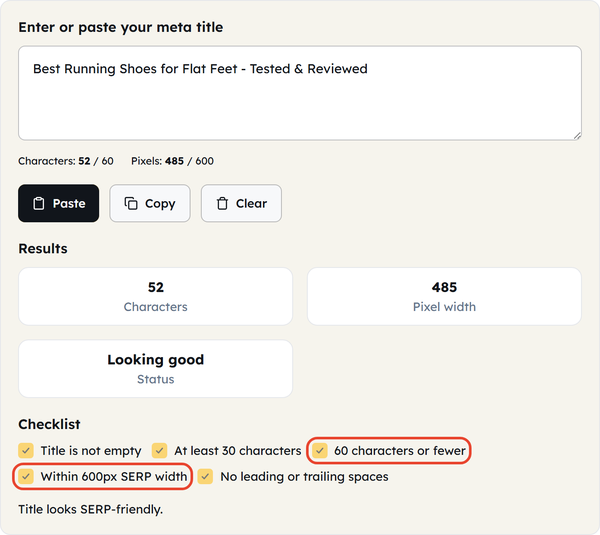
- Read the Results checklist — it flags at least 30 characters, 60 characters or fewer, and within 600px SERP width.
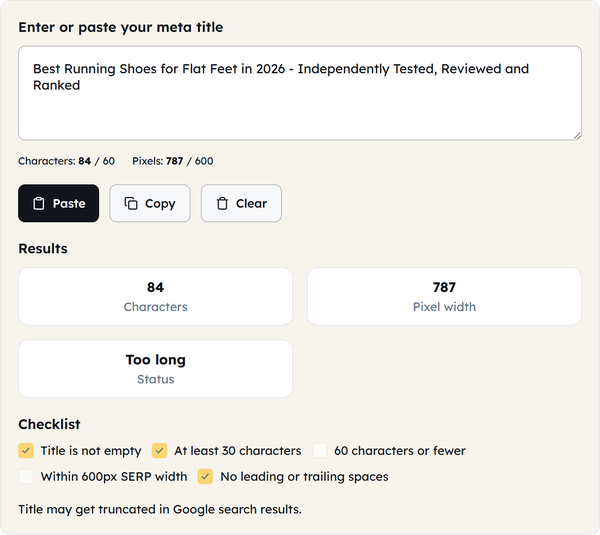
- If the title is too long you will see a truncation warning; shorten it and the counters update immediately.
- Use Paste to pull a title from your clipboard, Copy to take the finished one, and Clear to start again.
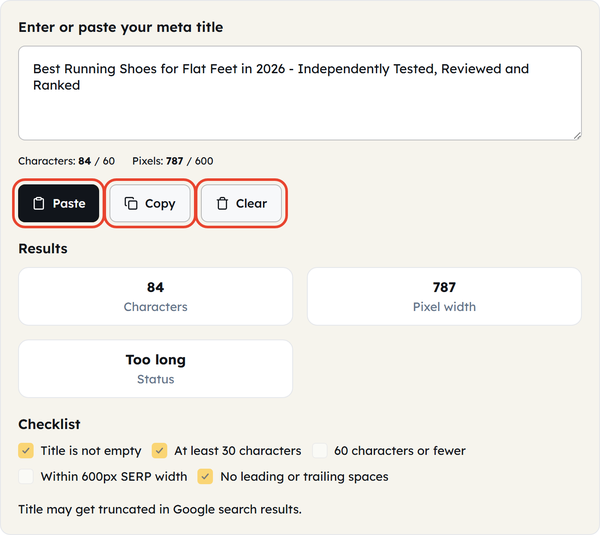
Why pixel width matters more than character count
While character limits can be considered as a rough indicator, the actual title cutoff is determined by the pixel width. Google Forms the titles on any search results according to a specific font size and truncates it once the length of the displayed text reaches its defined pixel width (currently around 600 pixels) on desktop and laptop devices. The character count is not enough to determine what actually happens to each title, because different letters take different space. For example, “Wedding Photography Packages”and “Small Business Loans Online” both consist of 28 characters but yield different outcomes in the search results because different letters
What the checklist is actually catching
- Make sure that the title is not blank — a clear statement but it is the first factor that affects the page’s SEO in case it is overlooked by CMS migration or rushed publication.
- At least 30 symbols long — titles shorter than this one usually look incomplete in search engines and miss the chance to use a keyword or a brand in case it can help the title attract users.
- 60 characters maximum — safety guideline that SEO recommendations give and which can be helpful for the first estimation of title length before checking pixels.
- Within 600px browser width — this is the main restriction because even if the title contains fewer than 60 characters it can still go beyond the limit.
- Without leading and trailing spaces — a point that is practically invisible in the majority of text editors but gets included in the HTML
Why truncated titles cost clicks
When Google truncates a title, usually, it does either the mid-word cut or the mid-phrase cut, including some ellipses. But this kind of cut is never clean – it typically cuts bits of the title that prompted someone to click on it, e.g., numbers, years, or benefits mentioned at the end. So, for example, a title like “The Complete Guide to Freelance Contracts for New Designers in 2026” becomes “The Complete Guide to Freelance Contracts for New De…”. So, taking a quick look at the title length before publishing will save the click.
Practical uses
A title tag checker tool earns its keep when you are evaluating a title before it goes live on a new blog post, reviewing the title of a previous page that was written years ago and not properly updated, comparing several options of titles face to face to determine a surviving title in its full length, cleaning up a system title and replacing a site name to twice in the title, or finding a trailing space, which seems to have occurred there after making a copy from a spreadsheet with the draft headlines.
H2- Frequently asked questions
FAQ: Meta Title Checker Questions
Is 60 characters a hard limit?
Why does the pixel count matter if I’m already under 60 characters?
Letter width varies. The width of the letter “i” is distinct from that of “W”, so two titles with the same character count are likely to occupy different horizontal space. In this case, the pixel size is better suited for Google’s purposes.
What if my title has been truncated?
Google uses as much of the title as possible, followed by an ellipsis. The page is still able to rank well despite deterioration in SEO since users are unlikely to click titles that look incomplete.
Should every title use the full 60 characters?
There is no need to. A short informative title will work better than a lengthy title that uses up all the word limits. Use only enough words to convey the necessary information in an easy-to-read style.
Does this check my meta description too, or just the title?
No, the title tag is checked only. The process uses different—longer pixel length—measures in the case of the description, since Google treats title and description differently in terms of the number of characters.
Is my title sent anywhere when I paste it in?
No, Google checks title locally in your browser and does not store any information.