
Yes. That is why the tool shows two totals — characters, and characters (no spaces) — so you can check whichever number the platform uses.
Character Counter
Count characters, words, and lines instantly as you type.
When you are writing to a character limit — a tweet, an SMS, a meta description, a form field — every character counts. Counting them by hand is slow and easy to get wrong.
Our character counter tool gives you an exact, live count as you type or paste, ensuring your text fits perfectly every time.
No sign-ups, no downloads, and no limit on how much text you can check.
How to Use the Character Counter
Nothing to set up — the counts appear as soon as you start typing.
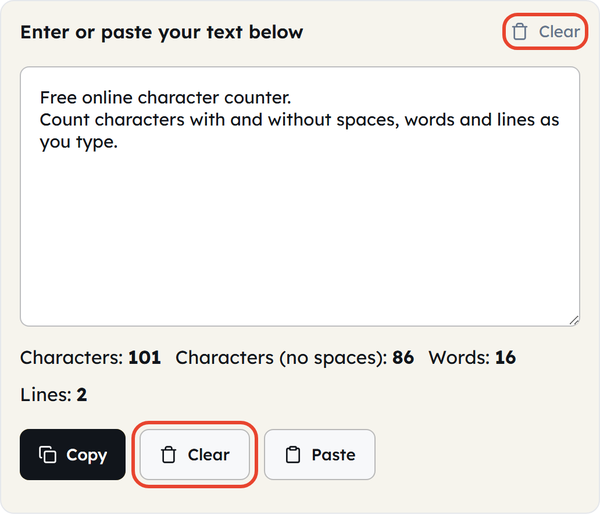
- Paste or type your text directly into the text box.
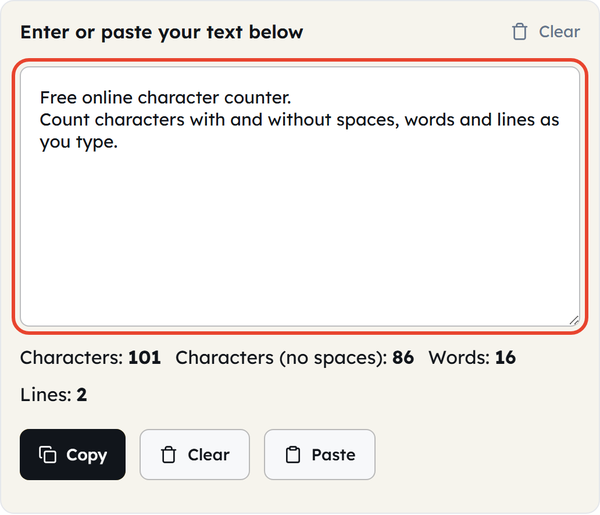
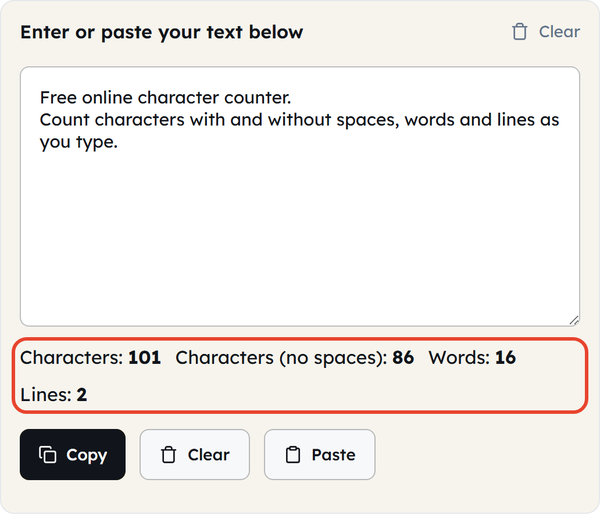
- The live counts will update instantly below: Characters, Characters (no spaces), Words, and Lines.
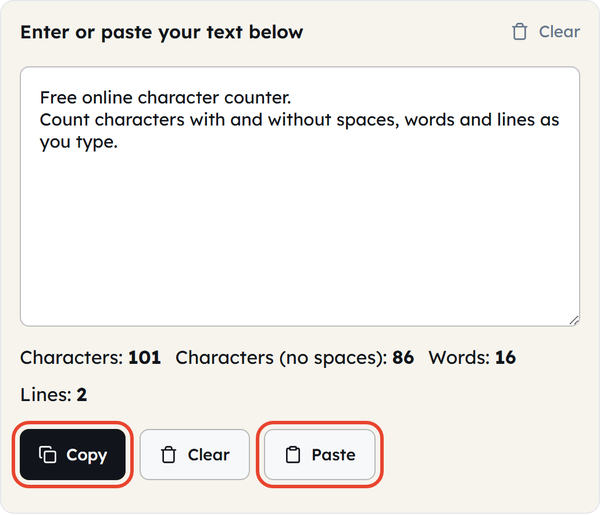
- Click “Copy” to grab your finished text, or “Paste” to quickly insert text from your clipboard.
- Click “Clear” to reset the box and start over.
What Is a Character Count?
A character count is the total number of individual characters in one text. Each letter, number, space, punctuation and symbol is considered one character.
This is different from a word count, which only measures whole words. Most platforms have strict limits on characters; therefore, a dedicated text character counter is a must-have for writing.
When to Use a Character Counter
- Social media: Creating posts or ads that are limited in characters.
- SEO: Creating meta titles and descriptions to ensure they display properly in search engines.
- Messaging: Fitting a message into an SMS or push notification.
- Forms: Filling out applications, bios, or profile fields with strict restrictions.
- Email Marketing: Checking headline or subject line lengths before sending.
- Data Entry: Comparing counts with and without spaces for specific platform rules.
Character Counting: What to Do and What to Avoid
| Do | Don’t |
|---|---|
| Look at the no-spaces count when needed | Assume that all platforms count characters the same |
| Check your count before you fill a field with a hard limit. | Use a word count when the platform asks for characters. |
| For lists, addresses, and code, use line count. | Ignore any extra spaces or line breaks. |
Common Character Limits You Should Know
Common character limits in popular platforms and in the different fields:
| Platform / Field | Character Limit |
|---|---|
| X (Twitter) | 280 characters |
| SMS / Text Message | 160 characters |
| Meta Description | 150-160 characters |
| Meta Title | 50-60 characters |
| Instagram Caption | 2,200 characters |
| LinkedIn Post | 3,000 characters |
| YouTube Title | 100 characters |
Note: Platform restrictions may vary from time to time. Always confirm the current limit on the platform itself before posting time-sensitive content.
Helpful Tips for Using a Character Counter
- The line count follows the line breaks in your text, not the way the text wraps on screen.
- Word count and character count are not proportional — hyphenated or heavily punctuated words push the character total up without adding words.
- Emoji count as one character here because the tool counts by code point; some platforms charge two for the same emoji, so check the target platform before you publish emoji-heavy copy.
Frequently Asked Questions (FAQs)
Do spaces count as characters?
Does the counter include punctuation and symbols?
Yes. A characters counter includes everything — letters, numbers, punctuation, spaces and symbols all count towards the total.
Is my text saved or sent anywhere?
No. Every count runs locally in your browser; your text is never uploaded or stored.
What’s the difference between characters and words?
Every individual letter, number, symbol and space is one character. A word count groups those characters into whole words separated by spaces. If a platform sets its limit in characters, that is the number to watch.
Can I count text from a Word document or PDF?
Yes. Copy the text out of your document and paste it into the box — the counter works on any pasted text.
Is there a maximum limit for the tool?
No. Whether you paste a single line or several pages, the counts update automatically.
Related Tools

Sentence Counter
Count sentences and average length as you type.
- 100% Free
- Customizable
- Download
- Unlimited

Paragraph Counter
Measure paragraphs and structure at a glance.
- 100% Free
- Customizable
- Download
- Unlimited
Case Converter
Convert text between upper, lower, title, and more.
- 100% Free
- Customizable
- Download
- Unlimited

Remove Extra Spaces
Clean double spaces and tidy whitespace fast.
- 100% Free
- Customizable
- Download
- Unlimited

Remove Line Breaks
Flatten text by stripping unwanted line breaks.
- 100% Free
- Customizable
- Download
- Unlimited

Remove Duplicate Lines
Deduplicate lines while preserving order.
- 100% Free
- Customizable
- Download
- Unlimited