
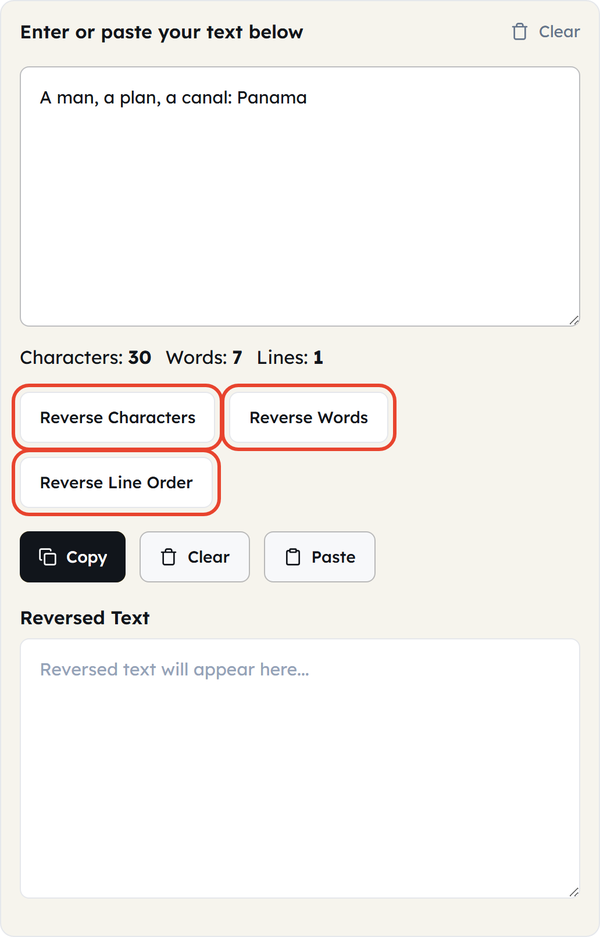
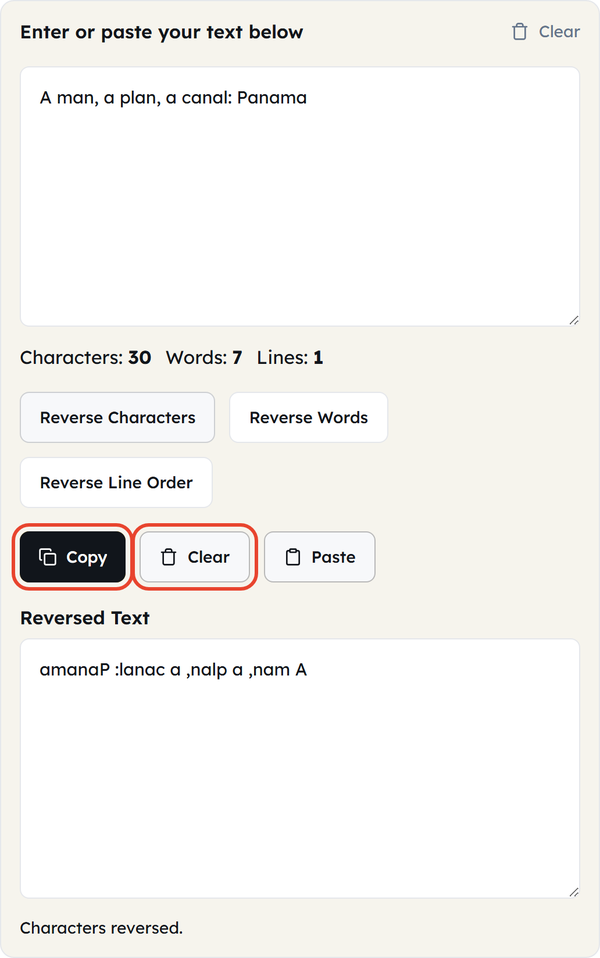
Reverse Characters inverts the characters of the string; words turn into incomprehensible jumbles. Reverse Words does not change any word but will reverse the position of each word.
Reverse Text
Reverse characters, words, or line order instantly.
Whether you’re building a puzzle, checking a palindrome, testing how software handles weird inputs, or just want to see what your name looks like backward, the Reverse Text tool does it instantly.
Paste your text, pick a mode, and get the flipped result right away.
How to Use the Reverse Text Tool
- Copy and paste text in or type it in the input box.
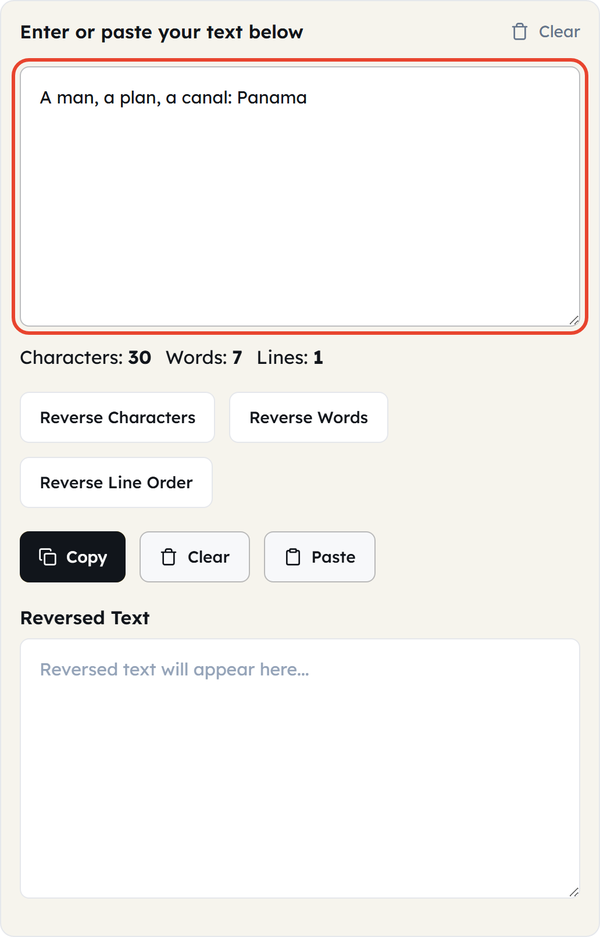
- Click Reverse Characters, Reverse Words or Reverse Line Order.
- View the reversed text instantly below.
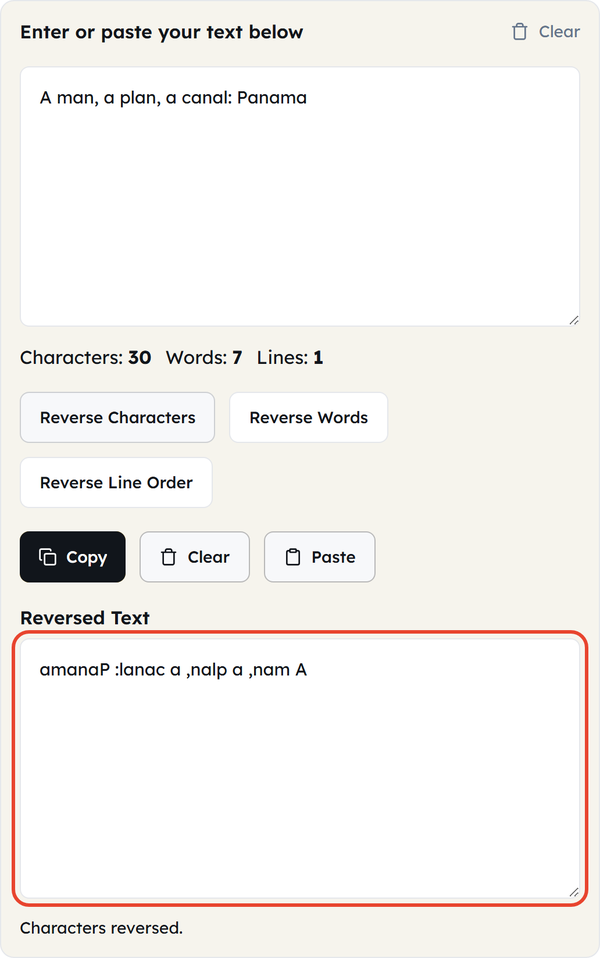
- Click Copy to grab it, or Clear to start over.
What Does ‘Reversing Text’ Mean?
Reversing text means changing the order of your writing — and what gets changed depends on which unit you reverse. This tool offers three different ways to reverse your text:
| Mode | What It Does | Example |
|---|---|---|
| Reverse Characters | Flips all the individual letters (including spaces) | “hello world” → “dlrow olleh” |
| Reverse Words | Keeps words spelled correctly but flips their order in the sentence. | “hello world” → “world hello” |
| Reverse Line Order | Keeps each line intact but flips the top-to-bottom order. | Line 1, Line 2 → Line 2, Line 1 |
When Should You Use a Reverse Text Tool?
- Design & Art: Making mirror text for designs, tattoos or funny graphics.
- Wordplay: Checking if a word phrase is a palindrome or creating puzzles, riddles, and escape room hints.
- QA Testing: Testing of script, form or software to see how it responds to unique, inverted strings.
- Data Formatting: Reordering a list, changelog or chronological dataset from oldest first to newest first (or vice versa).
- Social Media: Making a playful, attention-grabbing post that makes your followers do a double-take.
Do’s and Don’ts of Reversing Text
| Do | Don’t |
|---|---|
| Use Reverse Characters for puzzles or software testing. | Expect Reverse Characters to keep words readable. |
| Use Reverse Words for stylistic effects or poetry. | Expect Reverse Words to make grammatical sense. |
| Use Reverse Line Order to flip chronological lists. | Confuse Reverse Line Order with scrambling characters. |
Things to Know Before You Reverse Text
- Reversed text is not mirror text — the letters themselves are not flipped, only their order. If you need true mirrored letters, use a dedicated mirror-font tool.
- A palindrome reads the same forward and backward once spaces, punctuation and capitalization are ignored. “A man, a plan, a canal: Panama” is a famous one.
- Reverse Words can also expose awkward sentence structure — sentences that still read naturally in reverse often lean on simple, repetitive phrasing.
- Some social media sites might not render reversed text correctly when they preformat or shorten text, so it is best to preview before posting.
Famous Palindromes to Try With Reverse Text
Try putting these classics into the Reverse Characters mode:
- “A man, a plan, a canal: Panama”
- “Was it a car or a cat I saw?”
- “Never odd or even”
- “Madam, in Eden, I’m Adam”
(Single words work too! Try “racecar,” “level,” and “rotator”.)
Mirror Writing and Reversed Text Throughout History
Reversed writing isn’t just a modern digital novelty. Leonardo da Vinci famously wrote most of his personal notebooks in “mirror script”—writing right to left, with each letter reversed.
Historians still debate why he did it. Was it a code to conceal his ideas? Was it a left-hander’s trick to keep the wet ink from smudging? Or was it simply a habit he picked up? Either way, it’s an excellent reminder that flipped text was put to practical use long before computers made it instant.
Frequently Asked Questions (FAQs)
What’s the difference between Reverse Characters and Reverse Words?
Can this tool help me find palindromes?
Absolutely! Just reverse your text. If it perfectly matches your original input (ignoring spaces, punctuation and capitalization), you’ve got a palindrome.
Does the tool change capital letters to lowercase?
No, it will retain your actual capitalization. Using Reverse Characters on the word “Hello” will result in “olleH”, where the capital ‘H’ remains capitalized, but it will be placed at the end of the word.
Will my text formatting (bold, italics, custom fonts) be preserved?
The tool works on simple plain text. If you copy rich text (such as a bold heading from a Word document), the reverse will work, but you will lose the bold, italic or colored style.
Can I use this tool with languages other than English?
Absolutely. The tool supports standard Unicode characters, which covers most global alphabets and languages. Note: for right-to-left languages such as Arabic and Hebrew, how the flipped text displays can vary by browser or app.
How much text can I reverse at one time?
You can reverse a single word or many paragraphs, and it works instantly either way.