
It counts down the amount of time you set until it reaches zero, so you can track how much time is left in an activity.

Countdown Timer
Set a countdown with minutes and seconds or a quick preset. It flashes and beeps when the time runs out.
Tool Flora’s countdown timer tracks time in minutes and seconds and lets you watch it count down in real time. Tap one of the quick presets or enter your own duration. When it reaches zero the display flashes and the timer beeps, so you know the time is up without watching the screen.
It is built to be simple and quick, and it suits work, study, exercise, cooking, games, breaks and anything else where you need to keep an eye on the clock.
How to Use the Countdown Timer
The countdown timer is easy to use and takes only a few seconds to set.
Set a Quick Timer
Tap one of the preset buttons to load a duration, then click Start — a preset sets the time but does not begin the countdown on its own:
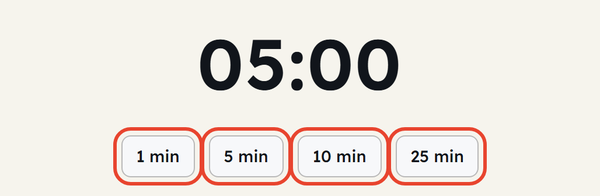
- 1 minute
- 5 minutes
- 10 minutes
- 25 minutes
Set Your Own Time
Or enter your own duration by hand:
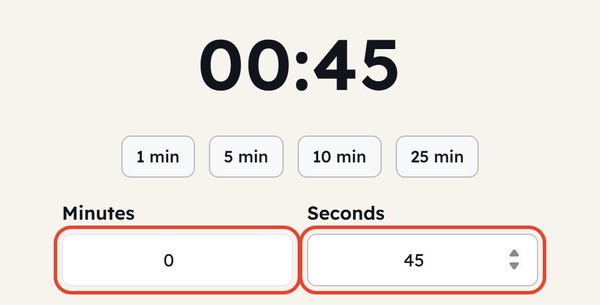
- Enter the number of minutes (up to 999)
- Enter the number of seconds (0 to 59)
- Check the display shows the duration you wanted
- Click Start
- Click Start again while it runs — the button now reads Pause — to hold the count, then click Start once more to resume from the same second
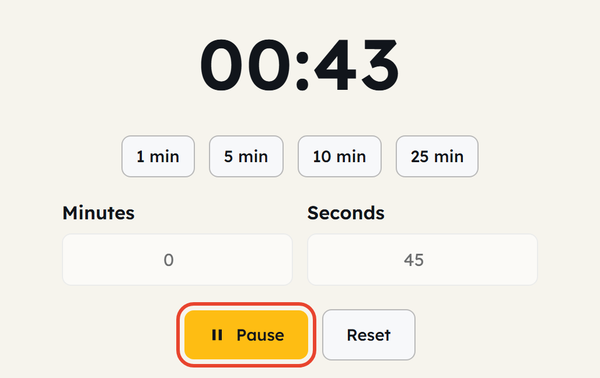
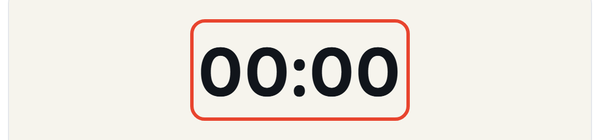
- When the countdown reaches zero the display flashes and the timer beeps
Reset the Timer
Click Reset to stop the countdown and put the display back to the duration you set — not to the 05:00 the page opens on.

What Is a Countdown Timer?
A countdown timer is a tool that counts down the selected duration until it reaches zero. Unlike a clock that tells you the current time, it focuses on how much time is left.
For example, if you set the timer for 5 minutes, it will start counting down from the selected time until 00:00 appears on the screen, which indicates that the timer is over.
A countdown timer is useful whenever you have a task with a set length, a break you do not want to overrun, or a short activity you want to keep to time.
When Would You Use This?
Studying
Set a timer and study until the countdown finishes, for a session with a clear end.
Taking Breaks
Use a short countdown to make sure your break doesn’t continue longer than planned.
Cooking
Set a timer while food is cooking and plan the rest of the meal around it.
Exercise
Set a timer to track your workout sessions, reps, and the duration of specific exercises.
Work
Set a fixed block of time, put distractions aside, and stay on one task until it ends.
Meetings & Presentations
A countdown timer can help you track time during your presentation, speech, discussion, or any other meeting activity.
Games & Activities
A countdown timer can help you with quizzes, challenges, classroom activities, competitions, and game time limits.
Daily Tasks
Set a timer while cleaning, organising, reading, or getting ready.
Do’s and Don’ts
Do’s
- Choose a duration that suits the activity you are doing.
- Use the quick presets for a short activity.
- Enter minutes and seconds manually when no preset fits.
- Check the display shows the duration you wanted before you click Start.
- Click Reset before setting a different duration.
- Keep the timer visible if you need to track the time.
Don’ts
- Don’t assume the timer will do the task; it only keeps track of the time for you.
- Don’t set an extremely short timer when the activity needs more time.
- Don’t forget to check your selected time before pressing Start.
- Don’t rely on a browser tab for a situation where missing the end time would have serious consequences.
- Don’t leave an important task unattended just because a timer is running.
Good to Know
- You can set both minutes and seconds — up to 999 minutes and 59 seconds.
- Tool Flora provides quick presets for 1, 5, 10 and 25 minutes.
- The timer opens on 05:00, and the Start button turns into Pause while it is running.
- It beeps and flashes once it reaches zero, so you do not have to watch the screen.
- It does not tell you the time of day — it only measures the duration you set.
- You can use it for both work and personal activity.
- A short timer helps build focused work sessions and prevents small tasks from taking too long.
- A timer helps you accomplish your daily tasks and track them.
Countdown Timer vs Alarm
A countdown timer and an alarm are both used to remind you about time, but they work differently.
A countdown timer runs a duration you choose until it reaches zero. An alarm, meanwhile, is set for a particular time of day. So if you want to know “how long until my break is over?” use a countdown timer, and if you want to know “when should I wake up?” use an alarm clock.
How Long Should You Set the Timer?
Choose the amount of time that suits the activity or the situation. For a quick reminder you might only need a minute or two; for focused work you may want a longer duration; for activities like cooking and exercise, set the timer to match the task.
The important thing is to set the timer realistically rather than choosing a duration because it feels convenient when it does not actually suit the activity.
Frequently Asked Questions
What is a countdown timer?
How do I start the Countdown Timer?
Tap a preset or enter minutes and seconds manually, then click Start to begin the countdown.
What preset timer options are available?
Tool Flora provides quick presets for 1, 5, 10 and 25 minutes.
Can I create a custom countdown?
Yes. Enter your own minutes and seconds before starting the timer — the Minutes field accepts up to 999 and the Seconds field 0 to 59.
What happens when the timer reaches zero?
The display flashes and the timer beeps, and the button goes back to reading Start.
Can I reset the timer?
Yes. Click Reset and the display returns to the duration you set, ready to run again.
Can I pause the countdown and resume it?
Yes. While the timer is running the Start button reads Pause. Click it to hold the count, then click Start again to pick up from the same second.
Can I use this timer for studying?
Yes — set a duration and stay focused until the countdown finishes.
Can I use it for cooking?
Yes, it can help you track time while preparing food.
Is the Countdown Timer useful for workouts?
Yes, it helps you track workout sessions, warm-ups, and other timed activities.
Does the timer show the current time?
No. It is not a clock — it only shows how much of the duration you set is left.
Do I need to install anything?
No. Tool Flora’s countdown timer is free and runs directly in your browser.
Set a duration, click Start, and let the countdown timer keep the time for you.
Related Tools
QR Code Generator
Generate QR codes for URLs, text, WiFi, and more.
- 100% Free
- Customizable
- Download
- Unlimited
Stopwatch
Track elapsed time with lap support.
- 100% Free
- Customizable
- Download
- Unlimited
Pomodoro Timer
Stay focused with classic Pomodoro sessions.
- 100% Free
- Customizable
- Download
- Unlimited
Notepad
Quick notes that stay in your browser.
- 100% Free
- Customizable
- Download
- Unlimited

Coin Flip & Dice
Flip a coin or roll dice for quick decisions.
- 100% Free
- Customizable
- Download
- Unlimited