
Nowadays, it is advised that anyone’s daily account have at least 12 to 16 characters while something sensitive, such as email, banking, or administrative access, has a longer length of at least 16. A 16-character random password is generally much harder to crack than a short password, even if the short one contains symbols.
Password Generator
Generate strong, random passwords locally in your browser.
A reliable random strong password generator helps you create secure login credentials without guessing. It’s harder to come up with a strong password than it sounds — most people will use a word they remember that they can add a symbol to, which is exactly what attackers will try first. This strong password generator, free and unlimited, creates a genuinely random password from the character sets you select – all in your browser, and with no re-used or slightly tweaked old password! Each additional character increases the number of possible combinations exponentially. A 20-character random password is dramatically harder to brute-force than a 10-character password.
How to use the Password Generator
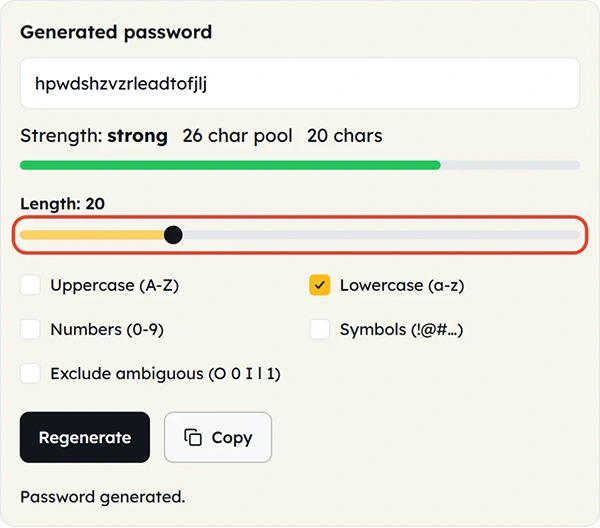
- Choose a password length. The slider runs from 4 to 64 characters. Longer passwords are generally stronger. For most accounts, 16 characters or more is recommended.
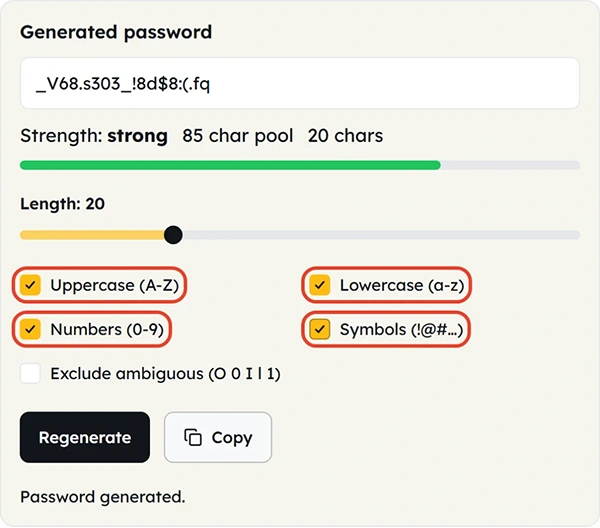
- Choose which characters to use — Capital, lower case, numerals and symbols.
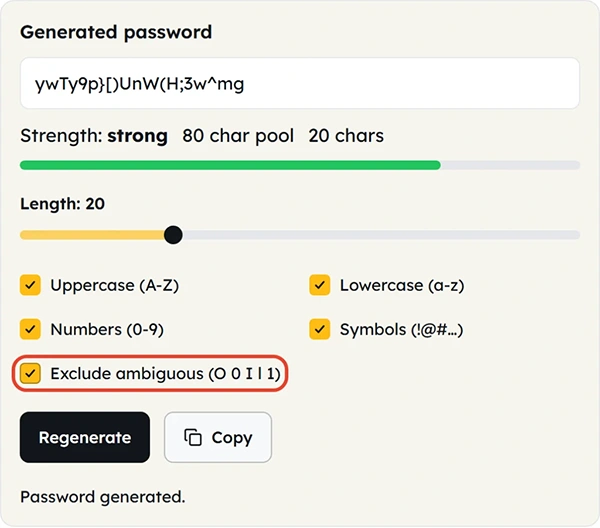
- If the password is to be typed in or read aloud, you can also omit ambiguous characters such as l, 1, O, 0.
- Click Regenerate. Repeat as many times as desired: Each trial is independent of the previous one.
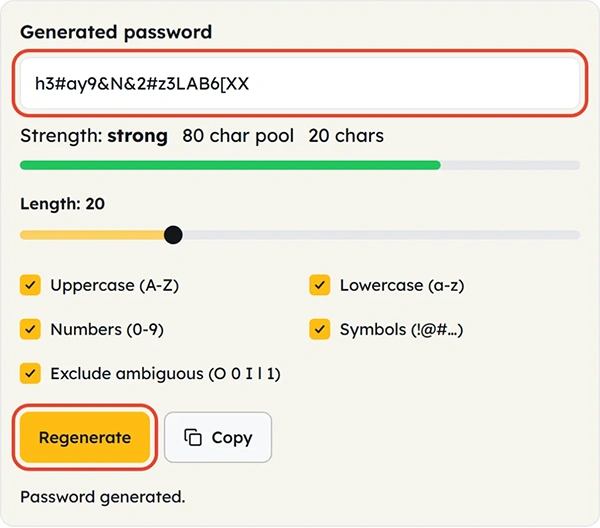
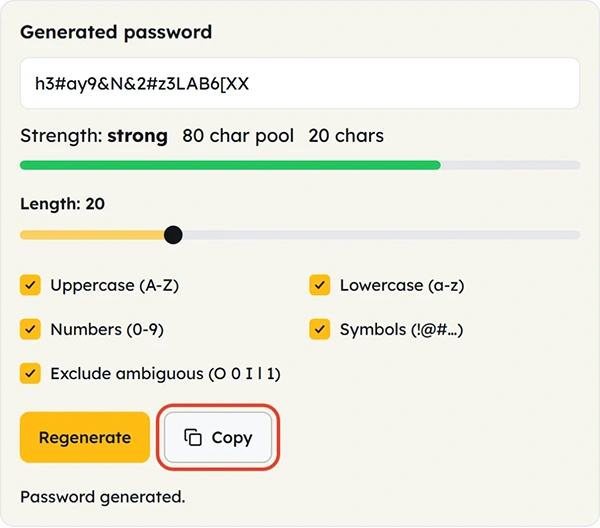
- Copy the password and store it in a password manager rather than trying to memorize it or saving it in a text file.
What is a strong password?
A strong password is one that’s long, random and unique — not one that’s merely complicated to type. The most important strength is unpredictability, a password should not be available in the dictionary, or be based on a personal quality, or be the result of a pattern such as “password123!”. All of the things below are what create these uncertainties:
- Length — The more characters added the more possible combinations, and thus the more difficult it is to guess or brute force the password.
- Upper case (A-Z) — extends the number of possible characters at each position to 26. Required by most account security policies.
- Lowercase (a–z) — the basic character set; typically included.
- Numbers (0-9) — contains 10 characters, required in most sites.
- Symbols (!@#$%…) — provides the maximum amount of randomness per character, some ancient systems impose restrictions on the symbols that may be used.
- Exclude ambiguous characters — omit characters that are very similar to each other (l/1, O/0) to make it easier to type in the correct password, but not reduce its strength significantly.
When you’d use this
- Establishing a new account on the internet.
- Resetting an existing password is a convenient feature that could be very useful.
- Creating API keys
- Creating temporary employee logins
- Changing a weak or previously used password
- Obtaining test certificates for testing purposes
Dos and Don’ts
Do:
- Have a unique password for each account.
- Don’t rely on memory, a text file or a sticky note — store passwords in a password manager.
- Go for length rather than memorability — 16+ characters is better than a short, ‘clever’ one.
- Regenerate the password as soon as it could have been exposed to anyone else.
Don’t:
- Use or modify an old password (Summer2023! → Summer2024!).
- Use personal information to create a password, such as a name, birthday, pet name, etc.
- Do not send a generated password via email or message and do not use the plain text; use a secure sharing option in a password manager.
- If you turn off all character types, it will make it easier to type but not make it a stronger password.
Good to know
Many data breaches involve weak, reused, or easily guessed passwords. Using a secure password generator to create a unique password for every account is one of the simplest and most effective security practices. Strength is the most important in all places where there are accounts containing financial, personal or business information, for example, email, banking, cloud storage and admin panels. Organisations such as NIST and the major browser vendors now urge the use of a longer instead of a more complicated or frequently changing password because the longer the random password, the more difficult it is to crack. A unique password generated for each site also reduces the spread of a single data breach: if you have been compromised on one site, none of your other accounts have been compromised by reusing your password on the other sites. All of this is local — passwords generated here are not sent, recorded or saved.
FAQ: Password Generator Questions
How long should my password be?
Should I include symbols?
Yes, where possible in the site — symbols introduce the most random character addition. If a website allows only a limited set of symbols, increase the password length to maintain strong security
Is the password actually random?
Yes. Passwords are generated using your browser’s cryptographically secure random number generator, making the results difficult to predict.
Is my password sent anywhere or stored?
No, everything is local and run in your browser. The creation of passwords is never sent, logged or stored by the tool.
Should I reuse a generated password across sites?
No. Make a new password for each account; store passwords in a password manager instead of in your head.
What does “exclude ambiguous characters” do?
It filters out characters that are likely to be confused or accidentally typed, like lowercase ‘l’, number ‘1’, capital ‘O’ and number ‘0’ which can be useful if the password must be typed by hand or spoken aloud.
Related Tools

Percentage Calculator
Calculate percentages, increases, and decreases.
- 100% Free
- Customizable
- Download
- Unlimited
Age Calculator
Find exact age in years, months, and days.
- 100% Free
- Customizable
- Download
- Unlimited
Date Difference
Measure days between any two dates.
- 100% Free
- Customizable
- Download
- Unlimited
BMI Calculator
Compute body mass index from height and weight.
- 100% Free
- Customizable
- Download
- Unlimited
EMI Calculator
Estimate loan EMI, interest, and total payable.
- 100% Free
- Customizable
- Download
- Unlimited
Discount Calculator
Find sale prices and savings in seconds.
- 100% Free
- Customizable
- Download
- Unlimited