
Yes. It is completely free to use and does not require registration or an account.
URL Slug Generator
Turn titles and phrases into clean, SEO-friendly URL slugs.
What the URL Slug Generator Does
A URL matters more than most people realise. An untidy, auto-generated address full of numbers, capitals and symbols is not just ugly – it reads badly in search results and tells nobody what the page is about. A URL slug generator turns any title into a tidy slug in seconds, whether it is a blog post, a product name or a heading. Tool Flora’s URL Slug Generator does it free, in your browser.
How to Use the URL Slug Generator
The process is fast, taking just a few seconds to complete:
- Paste or type your title into the input box – a blog headline, a product name, or any text you want to turn into a URL.
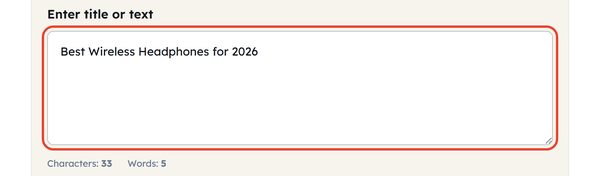
- Watch the slug build itself underneath as you type. There is no Generate button – the output updates live.

- Choose your separator: hyphen (-) or underscore (_). Hyphen is the default and the one search engines treat as a word break.

- Set the options. Convert to lowercase is already on; tick Remove numbers or Remove common stopwords if you want a shorter slug.

- Use Copy to take the finished slug and paste it into your CMS.

What Is a URL Slug?
URL slugs are the section of a web address that follows after your domain name and refers to an exact web page. For instance, in the web address toolflora.com/seo-tools/url-slug-generator/, “url-slug-generator” is the URL slug. Generally, it is based on the title of a web page but in a much simpler format that includes all lowercase characters, no punctuation marks, and hyphens instead of spaces between words. Slugs are used by both search engines and viewers to identify the essence of a web page even before viewing it.
When You Would Use This
A URL slug creator would be handy for the following cases:
- Creating blog articles with proper permalinks
- Creating product pages for an e-commerce site with unique URL per each item
- Creating landing pages with keyword-based slugs for better ad and SEO optimization
- Website migration or restructuring, when you need to bring all your existing URLs up to standard
- Tidying titles from other languages before publishing – though accented and non-Latin characters have to be replaced by hand first.
In short, whenever you enter the title in a CMS and see a bad-looking automatically generated URL, it is the right time to use a URL slug creator.
Do’s and Don’ts
Do:
- Slugs should be kept short, ideally less than 5-6 words
- Hyphenate instead of using underscores because search engines do not use underscores to separate words
- Target keywords must be included
- Slugs should all be in lowercase to remain consistent
Don’t:
- Use multiple keywords in one URL slug to cover a higher number of keywords
- Use any special characters, spaces, or accent marks
- Change the slug once it has been indexed and links have been made to it
- Use filler words like “the”, “and”, and “of” that do not mean anything
Good to Know
Search engines largely ignore stopwords inside a URL, so removing them with this tool costs you nothing and usually makes the slug read better. One caution: once a page is indexed, changing its slug breaks every existing link to it unless you add a redirect.
Frequently Asked Questions
Is the tool free?
Does it work with languages other than English?
Partly. It lowercases the text, strips punctuation and joins words with your chosen separator in any language, but it does not convert accented or non-Latin characters into plain ASCII – Cafe with an accent stays accented, and Cyrillic or Japanese text is left as it is. For those titles, replace the characters yourself before generating the slug.
Should I use hyphens or underscores?
Hyphens. Search engines treat a hyphen as a word separator, while an underscore joins the words either side of it into one token.
Is it possible to edit the slug after generating it?
Yes. The slug is only a suggestion – copy it and adjust it in your CMS before you publish.
Will removing stopwords hurt my SEO?
No. Search engines generally ignore words such as a, the and and inside a URL, so dropping them shortens the slug without costing you anything.