
It is a timer built to run focused work blocks separated by regular breaks, switching between the two for you.

Pomodoro Timer
Work in focused sprints with automatic breaks. It counts your completed sessions and beeps each time it switches modes.
Staying on one thing for a long stretch is hard, whether the distraction comes from inside your head or from the room around you. Tool Flora’s Pomodoro timer splits your work into repeatable cycles of focus and rest, and switches between them for you. It suits studying, project work, writing, coding, reading, or any task you want to give a set amount of attention without feeling overwhelmed by the whole of it.
How to Use the Pomodoro Timer
It is a simple tool: it splits your time into blocks and tells you when to switch between working and resting.
Set Your Work and Break Lengths
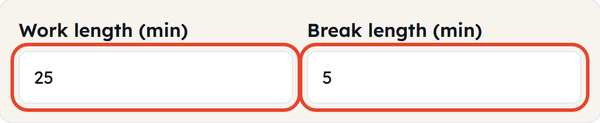
Decide what you are working on, then set Work length (min) and Break length (min) under the clock. They start at 25 and 5, and accept 1 to 180 and 1 to 60 minutes. One clear goal per block makes it much easier to stay with it.
Start the Timer
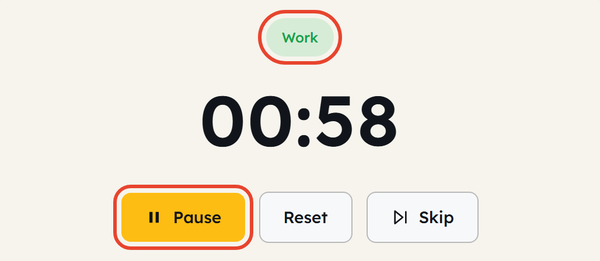
Click Start. The label above the clock reads Work and the countdown begins — stay on that one task until it runs out, and leave unrelated work alone.
Pause or Skip a Block
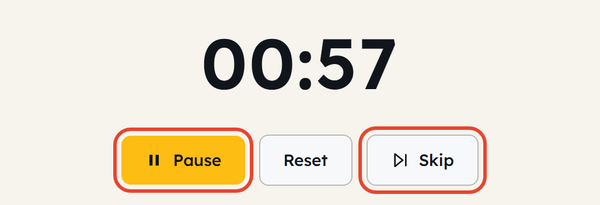
Click Start again while the timer runs — it now reads Pause — to hold the count, and once more to resume from the same second. Skip jumps straight to the next block if you finish early.
Let the Break Start Itself
When the work block reaches zero the timer beeps, flips the label to Break and starts counting the break down on its own. Stretch, get some water, or give your eyes a rest — then it flips back to Work and the next block begins.

Watch Your Session Count
Each finished work block adds one to the SESSIONS DONE counter under the clock, so you can see how much focused time you have actually put in. Reset returns to a fresh Work block and sets the counter back to zero.

What Is the Pomodoro Technique?
The Pomodoro Technique is a time management method that divides work into focused sessions with short breaks.
Traditionally, there is a 25-minute focused session, followed by a 5-minute break until the task is completed. The idea is simple: divide the large task into smaller pieces of the session to complete the whole task.
For example:
Focus – short break – focus – short break – focus – short break – focus – longer break
In this way, your task will be completed with attention and consistency.
When Would You Use This?
Studying
Use a Pomodoro tool to stay focused in your study sessions. You can dedicate chapter revision to each session or practice chapters each session.
Working on a Project
Large projects can be stressful but can be easily executed with the help of the Pomodoro method, which helps you break the project into smaller parts while maintaining focus.
Writing
Writers can use the Pomodoro tool to maintain their focus while working on articles, assignments, reports, or stories without constantly checking the clock.
Coding
This tool helps people have a focused session to work on coding problems, features, bugs, or development tasks before taking a break.
Reading
If you struggle to read for long stretches, the Pomodoro method gives you a clear stopping point to read towards.
Working From Home
A timer can help create a basic structure for the workday when there are no fixed schedules or natural breaks.
Avoiding Procrastination
Committing to one short block is far easier than telling yourself you have to work on something for hours, and starting is usually the hard part.
Managing Repetitive Tasks
Regular breaks in repetitive tasks can help you avoid tiredness or boredom.
Do’s and Don’ts
Do’s
- Select the appropriate task before you start the timer.
- Focus on each session of the main task.
- Keep unnecessary distractions away during the session.
- Take your breaks instead of jumping straight into the next session.
- Raise the Break length yourself once you have completed several focused sessions.
- Adjust the schedule based on your selected task.
- Keep your work goal relevant for the available time.
Don’ts
- Don’t try to rush unrelated tasks during one focused session.
- Do not spend time doing other tasks during the break.
- Don’t treat 25 minutes as a rule that fits every situation.
- Don’t expect a timer on its own to fix a concentration or time-management problem.
- Don’t treat an unfinished block as a failure — adjust the session length and carry on.
Good to Know
- The traditional Pomodoro method uses 25 minutes of focused work followed by a 5-minute break.
- The technique calls for a longer break after several sessions. This timer has a single Break length, so raise it yourself when you get there, or take the long break away from the timer.
- The word “Pomodoro” means tomato in Italian. It got its name because the creator used a tomato-shaped kitchen timer.
- Working in several short rounds gets a long task finished without any one stretch feeling long.
- The breaks are what make the method work — they are not wasted time.
- You don’t have to use exactly 25 minutes if another time period works best for your task.
- It works best on tasks that need sustained concentration, cut into blocks short enough to hold it.
- A good Pomodoro block is long enough to get somewhere and short enough to finish without a break in concentration.
Pomodoro Timer vs Regular Countdown Timer
Both tools count down time but serve different purposes.
A regular countdown timer is helpful when you need to measure a specific amount of time. Meanwhile, a Pomodoro timer is built for repeating cycles of focused work and breaks.
Use a regular countdown timer when you need to track time specifically, and use a Pomodoro timer when you want a structured routine between your work and breaks.
How Long Should a Pomodoro Session Be?
Traditionally it is 25 minutes of work followed by a 5-minute break, but nobody has to follow that schedule. Set the Work and Break lengths to suit the task — anything from 1 to 180 minutes of work and 1 to 60 minutes of break. The idea is simply a clear block of focus, a clear break, and a repeat until the job is done.
Experiment with timings to find the most suitable routine for you.
Frequently Asked Questions
What is a Pomodoro Timer?
What is the traditional Pomodoro schedule?
The traditional method is 25 minutes of focused work followed by a 5-minute break, with a longer break after several sessions.
How does the Pomodoro Technique help?
It breaks a large task into blocks short enough to hold your attention, and the regular breaks give you a natural point to pause and rest.
Where can I use a Pomodoro timer?
Anywhere you need to stay consistently focused for a stretch — studying, project work, writing, coding, reading, or any task you keep putting off.
Do I have to use 25-minute sessions?
No. 25 minutes is the traditional figure, not a rule. The Work length field accepts anything from 1 to 180 minutes and the Break length field 1 to 60, so set whatever suits the task.
Does the timer count my completed sessions?
Yes. The SESSIONS DONE counter under the clock goes up by one each time a work block finishes, and Reset puts it back to zero.
What should I do during a Pomodoro break?
Use it to rest rather than to start something else. Stretch, get some water, walk around, or simply look away from the screen.
What if I finish my task before the timer ends?
Review what you have done or prepare for the next block. If there is genuinely nothing left, click Skip to move straight to the break.
What if I get interrupted during a session?
If the interruption matters, deal with it — click Pause to hold the count — then decide whether to resume the block or restart it. The aim is to support focused work, not to make it stressful.
Related Tools

QR Code Generator
Generate QR codes for URLs, text, WiFi, and more.
- 100% Free
- Customizable
- Download
- Unlimited
Stopwatch
Track elapsed time with lap support.
- 100% Free
- Customizable
- Download
- Unlimited
Countdown Timer
Set a countdown for tasks and reminders.
- 100% Free
- Customizable
- Download
- Unlimited

Notepad
Quick notes that stay in your browser.
- 100% Free
- Customizable
- Download
- Unlimited

Coin Flip & Dice
Flip a coin or roll dice for quick decisions.
- 100% Free
- Customizable
- Download
- Unlimited