
Yes, it is free and requires no registration whatsoever.
Stopwatch
A precise online stopwatch with lap timing. Start, stop, reset and record laps down to the centisecond.
What the Online Stopwatch Does
If you want to record your training duration, cook an egg, perform an experiment in the lab, or race with your peer around the block, one thing that you will need above anything else is an accurate method of measuring time. A physical stopwatch is not always at hand, and on your phone you might need to dig through several screens to reach its stopwatch function. That is when an online stopwatch comes into play — open a browser tab, press Start and you are good to go.
Tool Flora’s Online Stopwatch is a free service that requires no registration or installation and measures time in centiseconds (1/100 of a second). It also features a lap timer, which allows you to track multiple split times in one run without resetting the stopwatch.
How to Use the Stopwatch
The use of the tool requires no more than a few seconds to get familiarized with:
- Open the Stopwatch page — nothing to install and no account needed.
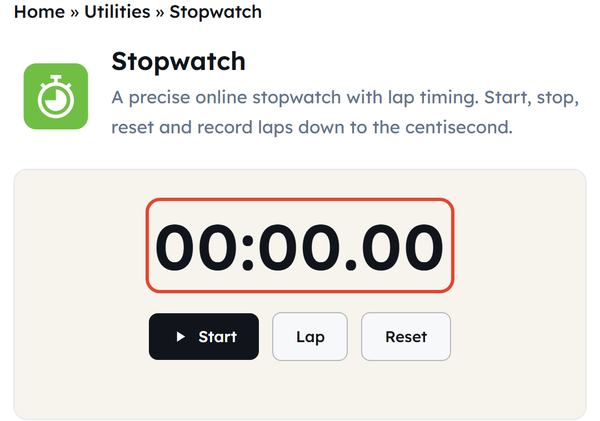
- Click Start to begin timing — the display counts upward from 00:00.00 right away.
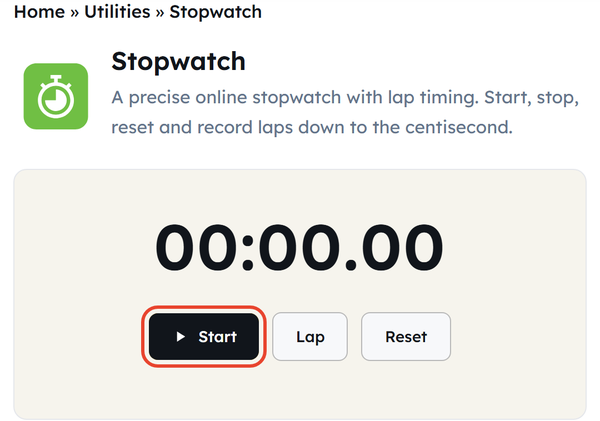
- Click Lap whenever you want to save a split time without stopping the main stopwatch.
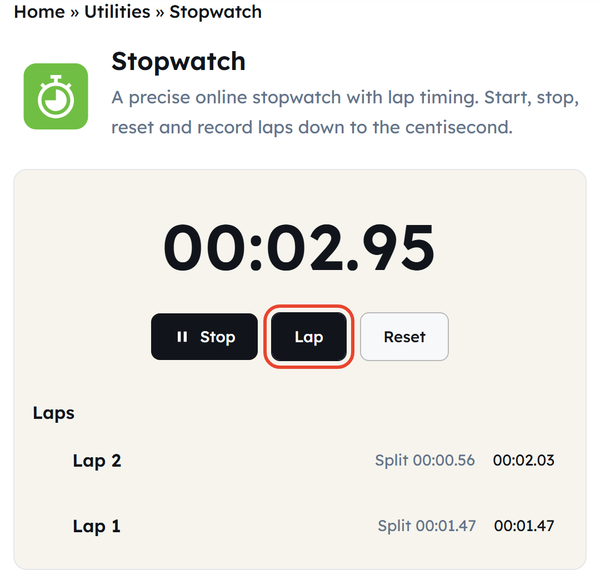
- Click Stop to pause the count — clicking Start again resumes from where it left off.
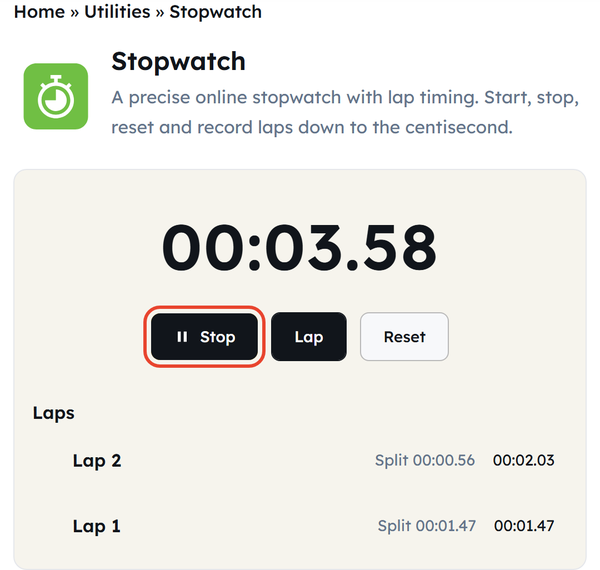
- Click Reset to clear the display and the lap list, starting anew.
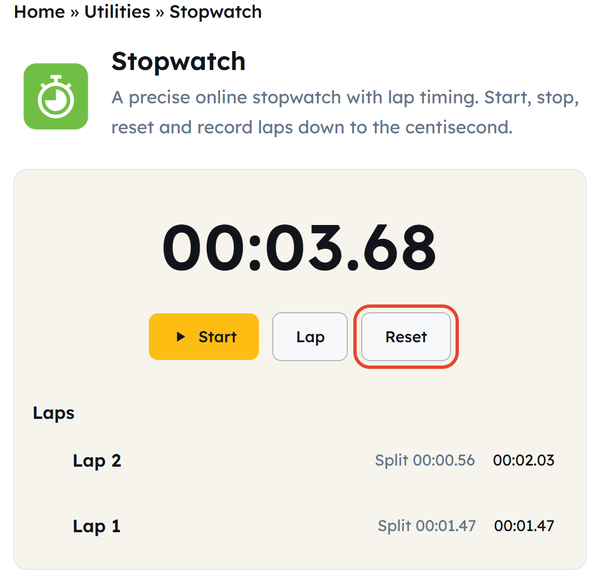
That’s it. There’s nothing to set up, and the interface is consistent across both desktop and mobile browsers.
What Is a Stopwatch?
The stopwatch is a tool that is specifically created for the purpose of measuring the actual time period of an activity from the point when it begins to the point when it finishes. The difference between the clock and the stopwatch is that while the clock indicates the actual time of the day, the stopwatch measures the elapsed time.
Traditionally, stopwatches were mechanical and hand-operated. Later, digital stopwatches appeared, providing better precision and readability. The online stopwatch goes a step further: it works directly in the web browser using your device’s own clock, and adds features such as lap counting without any extra hardware.
When You’d Use This
An online stopwatch comes in handy in more cases than you might initially assume:
- Exercise or sports – measuring sprints, rests or laps during workouts.
- Cooking or baking – timing the process carefully, such as proofing bread dough or steeping tea, when multiple phases must be considered.
- Learning or being productive – timing periods of concentrated work (for instance, using the Pomodoro method), or studying for exams.
- Scientific research – timing reaction or other periods needed for experiments or school assignments.
- Speeches or presentations – keeping track of your time to ensure that you do not exceed the required period.
- Challenges or games – timing quizzes or similar activities.
Do’s and Don’ts
Do:
- Use Lap to record split times while the overall elapsed time keeps running.
- Ensure that the tab stays open during timing as a background tab might be throttled by the browser.
- Restart the stopwatch before starting a completely new timing session.
Don’t:
- Use it for events that require certified official timing equipment.
- Refresh the tab mid-run if you want to keep the existing laps — a reload clears them.
- Mistake it for a countdown timer as the stopwatch records the upward count from zero.
Good to Know
It uses minutes, seconds, and centiseconds (one-hundredth of a second) to measure time and is sufficiently accurate for virtually any practical purpose. The stopwatch is local to your browser, transmits no data, and keeps running even if your connection drops. In addition, it is totally free without any limitations, meaning that you can start and stop the counter as often as needed.
FAQ
Is the online stopwatch free to use?
Is it mobile-friendly?
Yes, the timer is responsive and works on mobile phones, tablets, and desktops.
How accurate is the stopwatch?
It measures elapsed time with a precision of one centisecond (1/100th of a second).
Can I take multiple splits?
Yes, the Lap button allows recording an unlimited number of split times without stopping the counter.
Will the data be stored if I close the tab?
No — nothing is stored on any server, and the timer resets once you leave or refresh the page.
What is the difference between a stopwatch and a timer?
A stopwatch counts up from zero, while a countdown timer counts down from a set duration to zero.
Related Tools
QR Code Generator
Generate QR codes for URLs, text, WiFi, and more.
- 100% Free
- Customizable
- Download
- Unlimited
Countdown Timer
Set a countdown for tasks and reminders.
- 100% Free
- Customizable
- Download
- Unlimited
Pomodoro Timer
Stay focused with classic Pomodoro sessions.
- 100% Free
- Customizable
- Download
- Unlimited
Notepad
Quick notes that stay in your browser.
- 100% Free
- Customizable
- Download
- Unlimited
Coin Flip & Dice
Flip a coin or roll dice for quick decisions.
- 100% Free
- Customizable
- Download
- Unlimited