
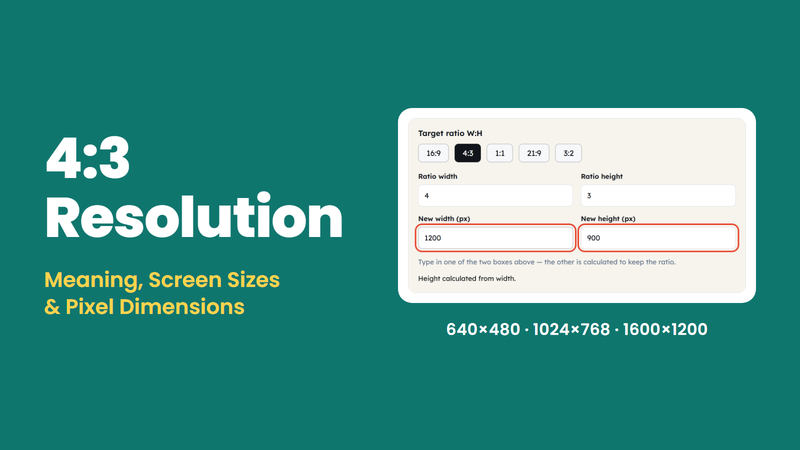
4:3 resolution is a pixel measurement where the width and height have a 4:3 ratio. Some of the common examples of 4:3 resolutions include 640 × 480, 800 × 600, and 1024 × 768 pixels.
4:3 Resolution: Meaning, Screen Sizes, Pixel Dimensions, And Examples
4:3 resolution is the classic aspect ratio used in older devices such as traditional computer monitors and older television screens, as well as in presentations and other classic video formats.
 Aakriti K
Published On: November 12, 2026
4:3 resolution is the classic aspect ratio used in older devices such as traditional computer monitors and older television screens, as well as in presentations and other classic video formats.
It doesn’t mean it’s outdated; it still plays a role and is used in various forms. With this guide, you will be able to understand this aspect ratio, get to know it with the help of examples, and after that you can use it as well wherever you think it fits. Let’s get started……
What Is A 4:3 Resolution?
The 4:3 resolution creates a rectangular shape with every 4 units of width for every 3 units of height. It is wider than it is tall, and if compared to the modern 16:9 aspect ratio, it is not that much wider.
For example, 800 × 600 pixels is associated with a 4:3 aspect ratio
You may have heard of this aspect ratio with different names, such as 4:3 screen resolution or 4×3 aspect ratio. Whenever you read or see something related to the 4:3 aspect ratio, it simply indicates the relation between height and width in units, unless the unit is given.
Resolution List: Common Pixel Dimensions
| Resolution Name | Pixel Dimensions | Common Association |
| QVGA | 320 × 240 | Small Video And Images |
| VGA | 640 × 480 | Older Computer Displays And Video |
| SVGA | 800 × 600 | Traditional Computer Monitors |
| XGA | 1024 × 768 | Computer Displays And Presentations |
| SXGA (4:3 variant) | 1280 × 960 | Higher-Resolution Displays |
| UXGA | 1600 × 1200 | High-Resolution Computer Displays |
| QXGA | 2048 × 1536 | High-Resolution Images And Displays |
How To Calculate 4:3 Resolution
With the help of just two formulas, you can calculate either missing dimension easily with no need to memorise everything.
The basic relation between dimensions is:-
Width:Height = 4:3
- Height = Width × 3 ÷ 4
- Width = Height × 4 ÷ 3
Let’s apply these two formulas and understand how they work with the help of some examples:-
- Example 1: Calculate height from width
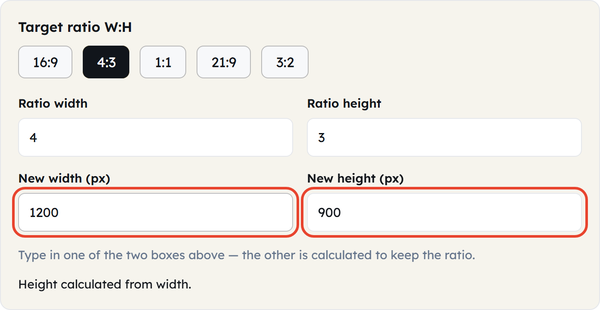
The width given here is 1200 pixels, and we need to find the height for a 4:3 aspect ratio
Height = Width × 3 ÷ 4
Height = 1200 × 3 ÷ 4
Height = 900 pixels
- Example 2: Calculate width from height
In this case, the height is given as 600 pixels; the width for a 4:3 aspect ratio is:
Width = Height × 4 ÷ 3
Width = 600 × 4 ÷ 3
Width = 800 pixels
- Example 3: Create a smaller 4:3 image
In need of a small image with a width of, let’s say, 400 pixels.
Height = 400 × 3 ÷ 4
Height = 300 pixels
Where Is The 4:3 Aspect Ratio Used?
Today, 16:9 is used in most places, from videos to displays, but 4:3 still serves as the best practical use in specific tasks, such as:-
- Traditional television and older video
Used when there is a desire to watch older videos or movies, which is best played with older televisions to experience this. - Older computer monitors
Work best when there is older software, archived digital content, or systems designed for traditional displays. - Presentations
Presentations with this aspect can help you when you need most concentration at the centre of your screen or when there are older projectors or display equipment. - CCTV and security cameras
Using this format provides a compact framing area for monitoring and recording. - Photography and digital images
Provides balance in rectangular framing when capturing something on camera, which is less panoramic than the modern-day 16:9 aspect ratio.
4:3 Vs 16:9: What Is The Difference?
| Feature | 4:3 aspect ratio | 16:9 aspect ratio |
| Width-to-Height ratio | 4:3 | 16:9 |
| Decimal ratio | Approximately 1.33:1 | Approximately 1.78:1 |
| Shape | More compact rectangle | Wider rectangle |
| Traditional association | Older televisions and monitors | Widescreen televisions and monitors |
| Common resolution | 1024 × 768 | 1920 × 1080 |
| Typical use | Older media, presentations, compatible displays | Modern video, monitors, and presentations |
How To Convert An Image To 4:3
It is easier to make your image in 4×3 resolution; just follow the mentioned steps, and you will get your image in 4:3:-
- Check the original dimensions
- Choose the required 4:3 dimensions
- Calculate the missing dimension
- Resize proportionally
- Crop if required
- Review the final image
Common Mistakes To Avoid When Using 4:3 Resolution
Some small errors can make a difference in how your image/video looks. Consider the following when you’re dealing with a 4:3 aspect ratio, so you can avoid unwanted things.
- Confusing aspect ratio with resolution
4:3 refers to the ratio of the aspect and not the actual pixel dimension. 640 × 480 and 1600 × 1200 are both 4:3 resolutions. - Entering incorrect dimensions
If you have mistakenly entered your dimensions backwards, you will end up with a portrait orientation image rather than a normal horizontal 4:3 image. - Stretching an image
Modifying the size of an image without maintaining the aspect ratio distorts the content in the image. Proportional resizing or image cropping should be used. - Ignoring the display requirements
Not all 4:3 images can match a 16:9 screen properly. Make sure to know the display or platform specifications before creating your final output. - Choosing resolution only by its name
Resolution terms may correspond to various standards or file formats. The correct aspect ratio of 4:3 must always be verified in pixel measurements.
How An Aspect Ratio Calculator Helps
Manual calculation is good when you want to learn and practice and make your mind grind, but when you’re in a hurry or when other things are much more important than this, then you need a calculator that makes the process faster and lets you focus on other things.
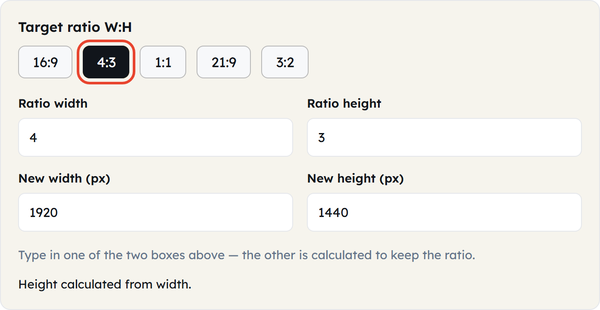
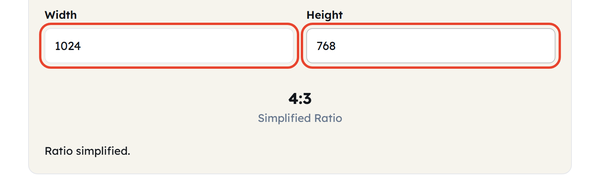
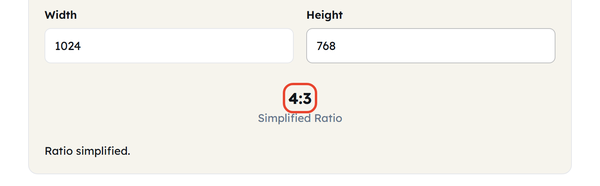
ToolFlora’s Aspect Ratio Calculator can help you with the calculation of proportional dimensions. When calculating through a calculator, have the following steps in mind:-
- Open the Aspect Ratio Calculator.
- Enter the original width and height.
- Check the calculated aspect ratio.
- Enter the new width or height you want.
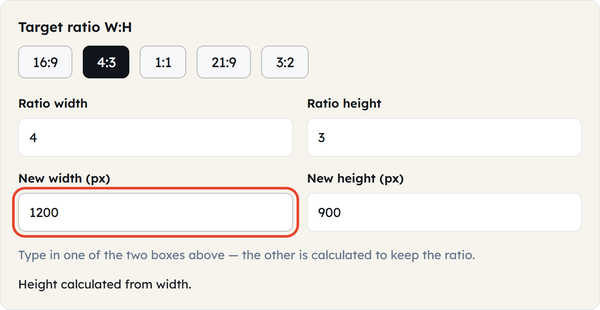
- Calculate the corresponding dimension.
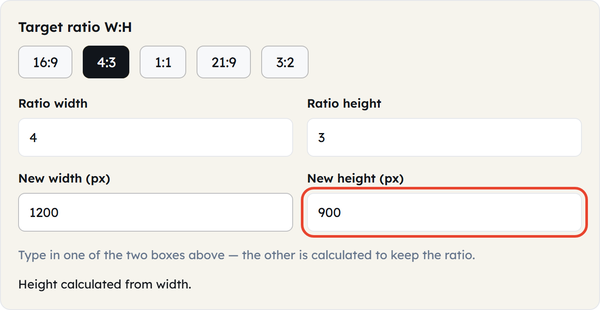
- Review the result before resizing your image or video.
Frequently Asked Questions
1. What is a 4:3 resolution?
2. What is the most common 4:3 resolution?
The two types of 4:3 ratios that are widely recognized include 640×480 and 1024×768. It is important to select the right size depending on what one needs.
3. What does 4×3 aspect ratio mean?
An aspect ratio of 4×3 indicates a width that is four units for every three units of height. This results in a rectangle that is narrower than the 16:9 widescreen format.
4. What is the 4:3 aspect ratio in pixels?
There are no fixed pixel values for 4:3. Some of the popular pixel values are 640 × 480, 800 × 600, 1024 × 768, 1280 × 960, and 1600 × 1200.
5. Is 1920 × 1080 a 4:3 resolution?
The ratio of 1920 × 1080 is 16:9. The ratio of 4:3 can be 1440 × 1080 pixels.
6. Is 1024 × 768 a 4:3 resolution?
Yes, when dividing 1024 by 768, it gives approximately 1.333, which matches the 4:3 proportion.
7. What is the difference between 4:3 and 16:9?
The 4:3 ratio is a more compact rectangle, whereas the 16:9 ratio is a wider rectangle. The 4:3 ratio corresponds to the conventional television and computer screen formats, while the 16:9 ratio is used by widescreen formats.
8. Can I convert a 16:9 image to 4:3?
Absolutely. The image may be cropped to match the 4:3 aspect ratio or resized proportionally. Cropping will involve cutting parts of the image, but stretching may change the look of the image.
9. Is 4:3 suitable for presentations?
Yes, the ratio of 4:3 can be used to make presentations, especially when the projector or screen allows such dimensions. Ensure the screen specifications before making the slides.
10. How do I calculate the height of a 4:3 image?
Three times the width divided by 4. Thus, for example, if the width is 1200 pixels, the height would be 900 pixels.
Conclusion
4:3 resolution is a conventional display format that still proves helpful in working with old content, compatible monitors, presentations, surveillance cameras, and digital pictures. The main distinguishing feature of this type of resolution is the proportion of the width to height, which is four to three.
No specific resolution belongs to the 4:3 aspect ratio. Some of the dimensions used in this format include 640 × 480, 800 × 600, 1024 × 768, and 1600 × 1200. All of them are proportionate but have varying numbers of pixels.
Knowing the difference between aspect ratio and resolution will help you select the necessary dimensions for your image. In case you need to find out the width or height, use the formulas above or the Aspect Ratio Calculator by ToolFlora.
Related Blogs
 16:9 Aspect Ratio: Meaning, Resolution List, Pixel Sizes, And Examples
Learn what the 16:9 aspect ratio means, see common 16:9 resolutions from 720p to 8K, and calculate width or height…
 Calculate Birth Date From Age: How To Find Your Date Of Birth
Learn how to calculate birth date from age with a reference date and simple subtraction, plus worked examples, an age…
 Chronological Age: Meaning, How to Calculate It, and Practical Examples
How old are you? Somebody has surely asked you this question, to which you would reply with your age, not…