
They are different hashing algorithms producing different output lengths and offering different security. MD5 (128-bit) and SHA-1 (160-bit) are old and broken for security work; SHA-256 (256-bit) and SHA-512 (512-bit) are the current secure choices.

Hash Generator
Generate MD5, SHA-1, SHA-256, and SHA-512 hashes from text.
What the Hash Generator Does
A hash function turns any input — a word, a password, a whole file of text — into a fixed-length string that works as a fingerprint of that data. The same input always produces the same hash, and any change at all to the input produces a completely different one, which is what makes hashes useful for checking that data has not been corrupted or altered. That is why a hash creator is closer to a fingerprint machine than an encoder: run the same text through this hash calculator twice and you get the identical result both times.
This online hash generator computes MD5, SHA-1, SHA-256 and SHA-512 for any text at once, in your browser. As a SHA hash generator it covers all three SHA variants alongside MD5, so you do not need a separate tool for each.
How to Use the Hash Generator
- Type or paste your text into the Input box, or click Paste to take it from your clipboard.
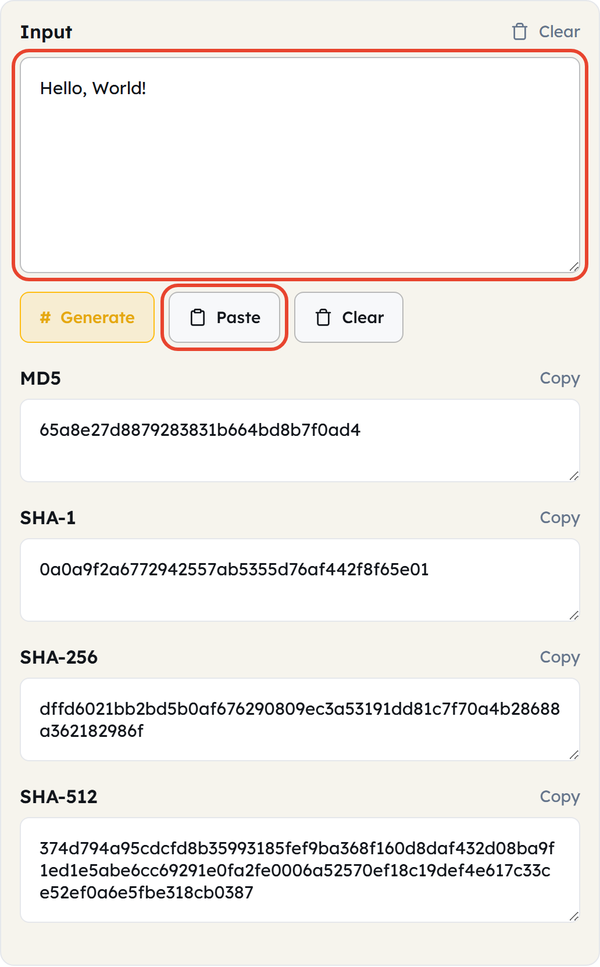
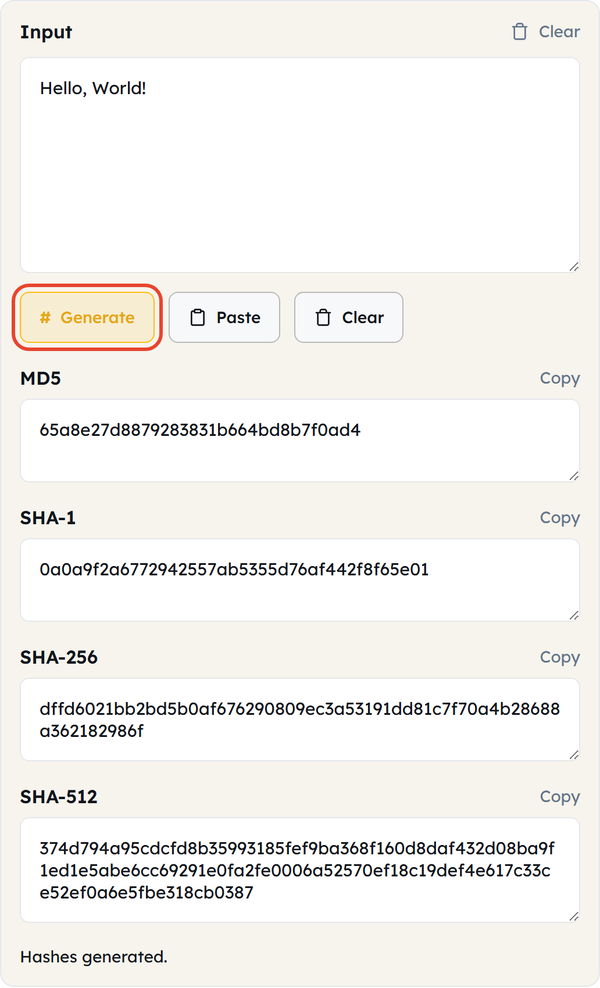
- Click Generate. All four hashes — MD5, SHA-1, SHA-256 and SHA-512 — are calculated at once.
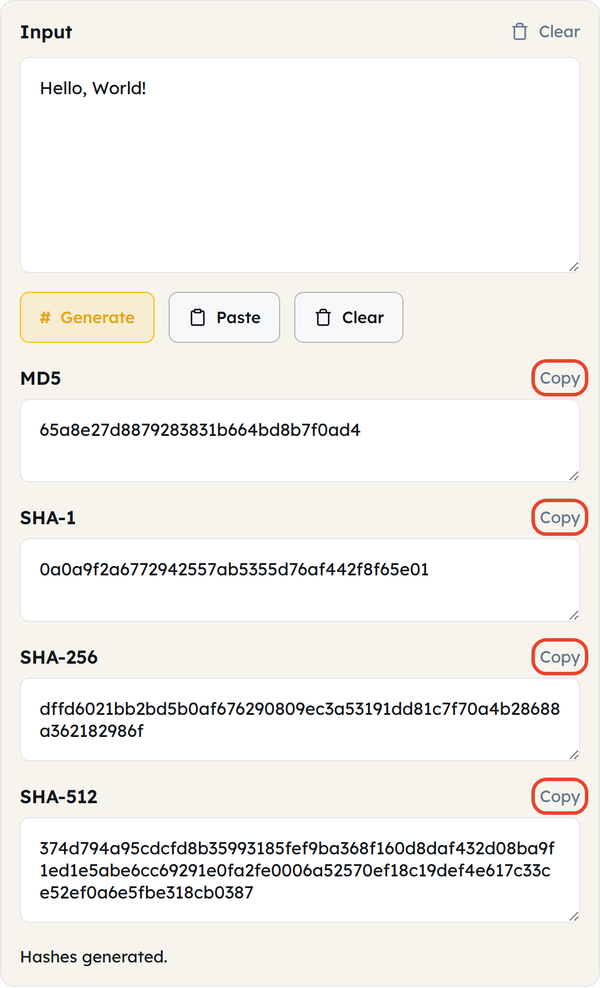
- Each hash has its own Copy button, so you can take just the one you need.
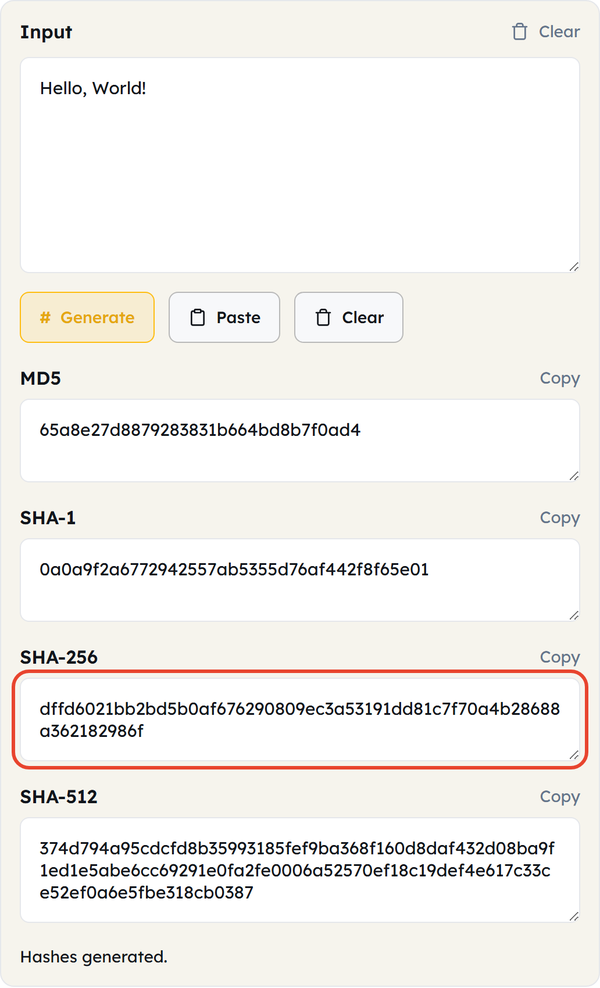
- Compare the value against the one you are checking, character for character.
- Click Clear to empty the input and the four results and start again.
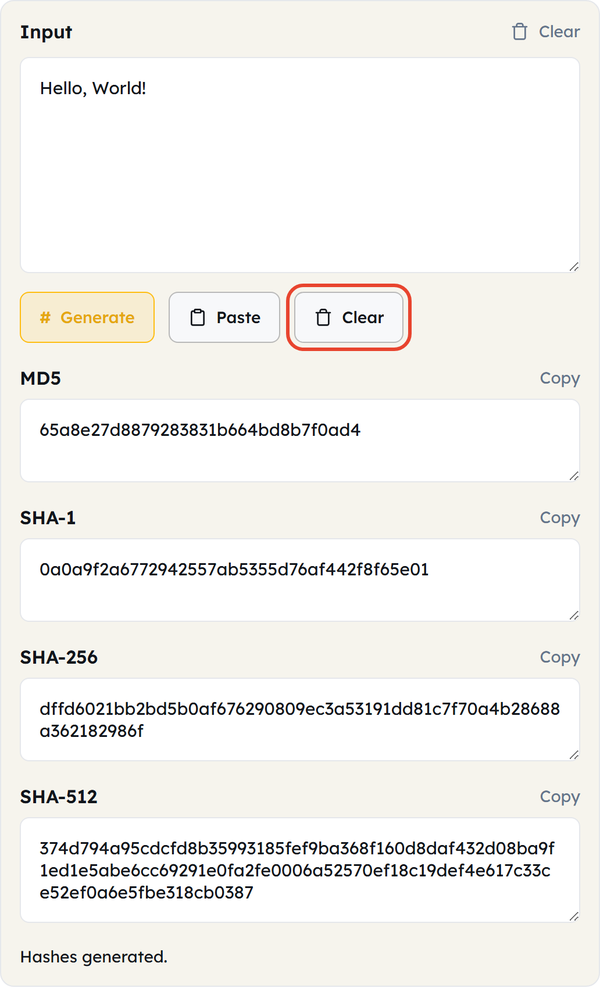
- Everything is calculated in your browser using standard hashing algorithms — your text is never sent to a server.
What Is a Hash?
- One-way — data can be mapped to a hash, but a hash cannot be mapped back to the data.
- Fixed-length output, whatever the input length — hash a single sentence and hash an entire book and both come back the same number of characters.
- Deterministic — the same input gives the same hash every time, on any system.
- MD5 — 128-bit output, shown as 32 hexadecimal characters.
- SHA-1 — 160-bit output, shown as 40 hexadecimal characters.
- SHA-256 — 256-bit output, shown as 64 hexadecimal characters. This is the current standard for most checksum and verification work.
- SHA-512 — 512-bit output, shown as 128 hexadecimal characters, used where the strongest collision resistance is wanted.
- MD5 and SHA-1 are cryptographically broken and should not be used for passwords, signatures or anything security-sensitive. SHA-256 and SHA-512 are the safe defaults today.
When You Would Use This
- Checking that a downloaded file was not corrupted or tampered with, by comparing its hash against the one the publisher lists.
- Telling whether two files are identical without opening either of them.
- Producing a hash of some text or data to use as a cache key or for deduplication.
- Validating a Git commit or a package checksum against the value it should have.
- Generating non-security checksums during development or QA.
- Working out what a hash value you have run into — in a log, on a download page, in a config file — actually is.
- Showing how the output length and format differ between MD5, SHA-1, SHA-256 and SHA-512.
Worked Example
Input: Hello, World!
| Algorithm | Hash of Hello, World! |
|---|---|
| MD5 | 65a8e27d8879283831b664bd8b7f0ad4 |
| SHA-1 | 0a0a9f2a6772942557ab5355d76af442f8f65e01 |
| SHA-256 | dffd6021bb2bd5b0af676290809ec3a53191dd81c7f70a4b28688a362182986f |
| SHA-512 | 374d794a95cdcfd8b35993185fef9ba368f160d8daf432d08ba9f1ed1e5abe6cc69291e0fa2fe0006a52570ef18c19def4e617c33ce52ef0a6e5fbe318cb0387 |
Each algorithm returns a completely different length and value from the same input, and changing a single character — dropping the exclamation mark, say — would change all four hashes entirely, with no visible relationship between the old and new values. That is the avalanche effect, and it is what makes a hash a reliable way to spot even the smallest change in data.
Hashing in Code
JavaScript — SHA-256 via the Web Crypto API
async function sha256(text) {
  const data = new TextEncoder().encode(text);
  const hashBuffer = await crypto.subtle.digest("SHA-256", data);
  return Array.from(new Uint8Array(hashBuffer))
.map(b => b.toString(16).padStart(2, "0"))
.join("");
}
Command Line
echo -n "Hello, World!" | md5sum
echo -n "Hello, World!" | shasum -a 256
Do’s and Don’ts
Do
Use SHA-256 or SHA-512 for any checksum or integrity check that matters.
Compare two hashes exactly, character for character — a single differing character means the data is different.
Verify the integrity of downloaded or transferred files with a hash.
Treat a hash as a fingerprint of data, not as a way of storing or retrieving it.
Don’t
Use MD5 or SHA-1 for anything security-critical — passwords, digital signatures or similar.
Expect a hash to be “decoded” back to the original text. It is one-way by design.
Store passwords with a plain hash function such as MD5 or SHA-256 — use bcrypt, scrypt or Argon2, which are built for the job.
Confuse hashing with encryption. Encryption can be undone with a key; hashing cannot be undone at all.
Common Mistakes
- Using hashing as encryption. A hash cannot be decrypted or reversed — the two solve different problems.
- Still reaching for MD5 or SHA-1 out of habit. Both are obsolete for security because of collision weaknesses, though they remain fine for basic non-security checksums.
- Hashing passwords directly. Plain hash functions are far too fast and are easily brute-forced; password-specific functions such as bcrypt are deliberately slow and salted.
- Comparing hashes by eye instead of programmatically. Long hex strings are easy to misread — use exact string matching rather than glancing at the first and last few characters.
Good to Know
- The avalanche effect is what happens when a tiny change to the input — one character, even a single space — produces a completely different hash with no visible relationship to the original.
- SHA-256 is the current default for general-purpose checksums: secure, and still fast enough for everyday use.
- MD5 has been deprecated for security use since 2011, but is still widely used for non-security purposes such as cache keys and duplicate detection.
- The output length never changes with the input. SHA-256 returns 64 hexadecimal characters whether you hash one word or a whole book.
- SHA-1 and SHA-2 (which covers SHA-256 and SHA-512) are standardised by NIST, so they behave identically across platforms and languages.
Frequently Asked Questions
What’s the difference between MD5, SHA-1, SHA-256 and SHA-512?
Can I reverse a hash back into the original text?
No. Hashing is a one-way function by design — the original input cannot be recovered from the hash.
Is hashing the same as encryption?
No. Encryption can be undone with the right key; hashing cannot be undone at all. They solve different problems: encryption is for confidentiality, hashing is for integrity.
Why shouldn’t I use MD5 for passwords?
MD5 is fast, was never designed to resist brute force, and has known collision weaknesses. For stored passwords use a deliberately slow, salted algorithm such as bcrypt, scrypt or Argon2.
Why do different algorithms produce different length outputs?
Each algorithm is designed around a fixed output size — 128 bits for MD5, 160 for SHA-1, 256 for SHA-256 and 512 for SHA-512 — no matter how long the input is.
How do I verify a downloaded file is authentic?
Hash the file with the same algorithm the publisher used, usually SHA-256, and compare your output with theirs character for character. If they match, the file has not been corrupted or altered.
Related Tools
Base64 Encoder
Encode or decode Base64 strings safely.
- 100% Free
- Customizable
- Download
- Unlimited
URL Encoder
Escape and unescape URL components instantly.
- 100% Free
- Customizable
- Download
- Unlimited
HTML Encoder
Convert HTML entities to text and back.
- 100% Free
- Customizable
- Download
- Unlimited
JSON CSV Converter
Convert JSON arrays to CSV and back.
- 100% Free
- Customizable
- Download
- Unlimited
UUID Generator
Create unique UUIDs for apps and databases.
- 100% Free
- Customizable
- Download
- Unlimited
Timestamp Converter
Convert Unix timestamps to dates and back.
- 100% Free
- Customizable
- Download
- Unlimited