
Developer tools are utilities that programmers or developers can use to perform specific technical tasks, from formatting code, testing patterns, converting data, and generating identifiers to debugging applications.
Top 17 Developer & Encoder Tools For Everyday Coding Tasks
Time is precious for professionals like developers to execute different tasks, such as formatting JSON, encoding a URL, converting Markdown to HTML, and many more related tasks. To make your...

 ToolHub Admin
Published On: September 29, 2026
Time is precious for professionals like developers to execute different tasks, such as formatting JSON, encoding a URL, converting Markdown to HTML, and many more related tasks. To make your work easier and save time, Toolflora brings developer and encoding tools in one place to help you execute tasks faster.
From debugging an API response to preparing website code to convert data, these tools provide a seamless interface to let you do your work with ease.
To get in-depth knowledge about developer and encoder utilities, visit the page
https://toolflora.com/developer-and-encoders/
Top 17 Developer & Encoder Tools
JSON FORMATTER
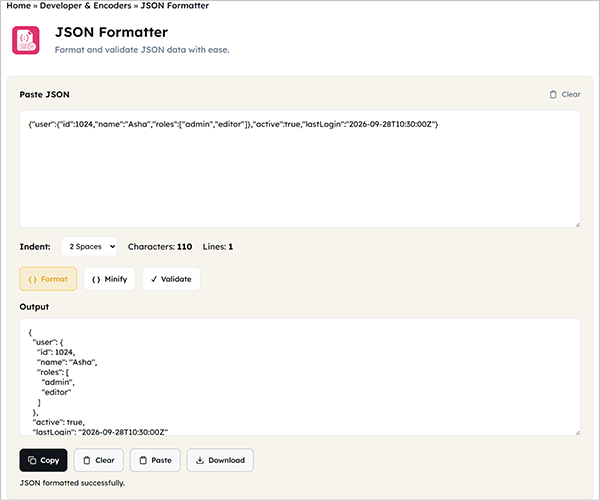
You may find that some JSON data is difficult to read, and you can’t continue your work with it because of inconsistencies or because everything appears on a single line, making data exchange difficult.
A JSON formatter lets you organise your JSON into a more readable format by inspecting the given data.
When to use it:-
- Checking an API response
- Finding errors in JSON
- Reading nested objects and arrays
- Formatting minified JSON
- Reviewing configuration files
- Preparing JSON for documentation
Try: https://toolflora.com/developer-and-encoders/json-formatter/
BASE64 ENCODER
You may need Base64 when transmitting data through a text-based system where you need to represent data only in text format, but Base64 uses a limited set of characters to represent binary data.
Base64 encoder helps convert text into Base64 format to help encode your values quickly.
When you use it:-
- Testing API data
- Working with encoded strings
- Preparing sample data
- Debugging applications
- Understanding Base64-encoded values
Try: https://toolflora.com/developer-and-encoders/base64-encoder/
URL ENCODER
You need to represent every character in your URL carefully, or else it can create problems for you; that’s why it needs to be safely encoded before using the URL in multiple contexts.
The URL encoder helps encode your text into a safe URL.
When you use it:-
- Creating query parameters
- Testing API requests
- Working with dynamic URLs
- Encoding special characters
- Debugging URL-related issues
Try: https://toolflora.com/developer-and-encoders/url-encoder/
HTML ENCODER
HTML is a markup language that uses different characters to represent data that you need to convert to understand it properly. Different characters carry different meanings in HTML.
HTML encoder converts the given characters into their corresponding entities, which can be effective when you want to represent data as literal text.
When you use it:-
- HTML development
- Displaying code examples
- Preparing text for web pages
- Testing HTML entities
- Working with special characters
Try: https://toolflora.com/developer-and-encoders/html-encoder/
JWT DECODER
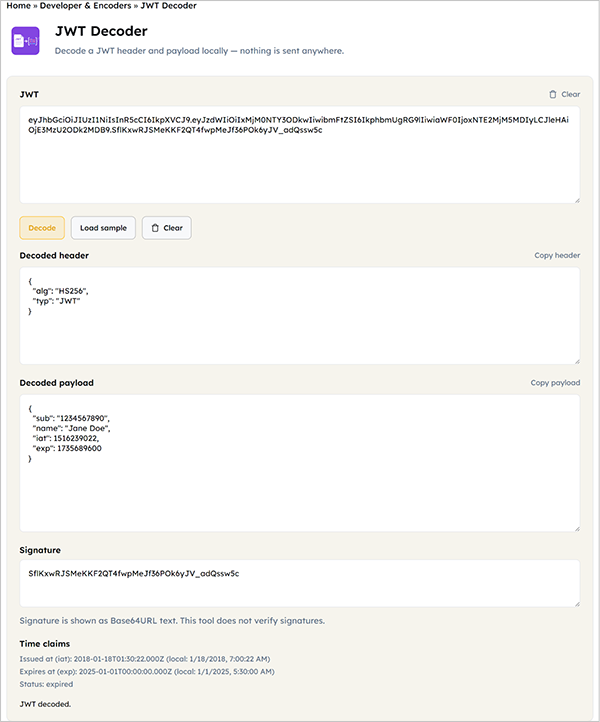
While using authorization or authentication systems, you may have encountered JWT, which stands for JSON Web Tokens, containing three parts, among which the header and payload parts are required by developers for inspection to solve troubleshooting.
A JWT decoder helps inspect the readable parts of a JWT.
When to use it:-
- Debugging authentication issues
- Inspecting JWT headers
- Checking token payloads
- Understanding token structure
- Troubleshooting API authentication
Try: https://toolflora.com/developer-and-encoders/jwt-decoder/
REGEX TESTER
You may find it difficult to write or debug a regular expression, which is very important, as it helps find patterns in the given text.
To make it easier for you, the Regex Tester from ToolFlora helps you test a regular expression to check the expected match produced by the pattern.
When you use it:-
- Validating text patterns
- Testing email-like patterns
- Finding specific strings
- Extracting information from text
- Debugging regular expressions
Try: https://toolflora.com/developer-and-encoders/regex-tester/
TEXT DIFF
Have you ever gotten confused between two documents that look the same? Finding the differences manually can consume your precious time and can make frustrated.
The text diff tool helps you identify the differences between two pieces of text within seconds.
When you use it:-
- Comparing code versions
- Reviewing content changes
- Checking configuration files
- Finding removed or added text
- Troubleshooting unexpected differences
Try: https://toolflora.com/developer-and-encoders/text-diff/
CSS MINIFIER
The browser doesn’t need files containing whitespace or formatting, for which css minifier creates a more compact version of the CSS file that is actually required to be read by the browser.
When you use it:-
- For reducing file size
- For preparing website assets to produce
Try: https://toolflora.com/developer-and-encoders/css-minifier/
JAVASCRIPT MINIFIER
The browser doesn’t need whitespace, formatting, or comments containing JavaScript data to process the code; just as a CSS minifier does, a JavaScript minifier creates a clearer, more compact version of your JavaScript code.
When you use it:-
- Production builds
- Reducing file size
- Preparing frontend assets
- Creating compact JavaScript files
Try: https://toolflora.com/developer-and-encoders/js-minifier/
MARKDOWN TO HTML CONVERTER
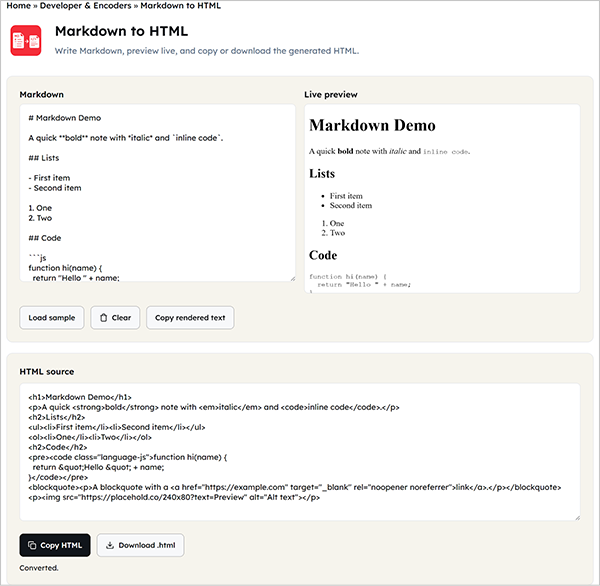
Browsers generally display websites using HTML, although Markdown is quite popular for writing notes, documentation, README files, and other structured content.
Toolflora’s Markdown to HTML converter helps you convert Markdown syntax into HTML.
When to use it:-
- Creating HTML from Markdown
- Preparing documentation
- Converting README content
- Publishing Markdown-based content on websites
- Testing Markdown formatting
Try: https://toolflora.com/developer-and-encoders/markdown-to-html/
NUMBER BASE CONVERTER
There are times when developers need to convert number bases and may not find the right tool, or one that gives multiple bases at the same time.
A number base converter helps developers do that without manual conversions.
When it can convert:-
- Binary to decimal
- Decimal to binary
- Decimal to hexadecimal
- Hexadecimal to decimal
- Values between other supported bases
Try: https://toolflora.com/developer-and-encoders/number-base-converter/
JSON TO CSV CONVERTER
You may need JSON data for your spreadsheets, but it doesn’t support formats like CSV, which is more convenient. In that case, a tool like a JSON to CSV converter is best for converting JSON to CSV.
Although both formats are common to use, but serves different purposes. Common cases when it helps you:-
- Moving API data into spreadsheets
- Preparing datasets
- Converting structured data
- Creating CSV files for analysis
- Working with exported application data
Try: https://toolflora.com/developer-and-encoders/json-csv-converter/
UUID GENERATOR
Developers work with UUIDs, or universally unique identifiers, to identify information when working with a large system. That’s where a UUID generator helps.
UUID generator helps you provide multiple identifiers to help you identify information without constructing them manually.
For which it is used:-
- Database records
- API resources
- Application objects
- Testing
- Development environments
Try: https://toolflora.com/developer-and-encoders/uuid-generator/
HASH GENERATOR
Hashing is a fixed-size value used in many areas, including software development and password-related systems.
A hash generator gives you hash values from the input data using algorithms supported by hashing.
When you use it:-
- To check if the downloaded file is corrupted
- To tell if the files are identical without opening the documents
- To generate non-secure checksums
- To deduplicate or use as a cache key
Try: https://toolflora.com/developer-and-encoders/hash-generator/
TIMESTAMP CONVERTER
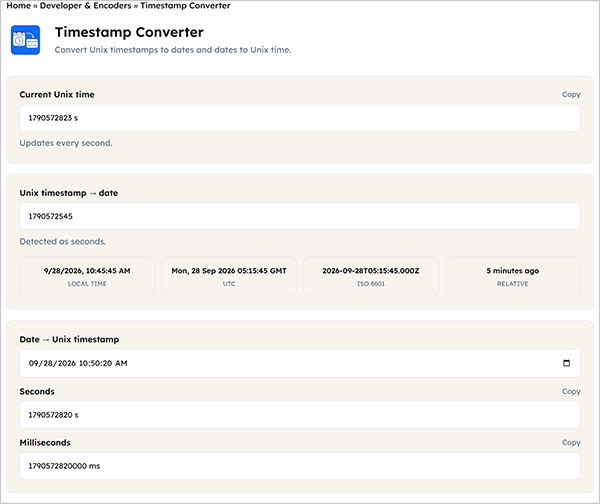
If you are a developer, you may relate to this when you encounter timestamps multiple times in machine language and you need to know about them.
A timestamp converter helps you understand them by converting them to human-readable dates and times.
When you use it:-
- Debugging API responses
- Reading server logs
- Checking database values
- Working with Unix timestamps
- Troubleshooting date and time issues
Try: https://toolflora.com/developer-and-encoders/timestamp-converter/
COLOR CONVERTER
The color converter is very useful for developers working on websites or designing something; they need to switch between different colors without any intervention of any kind. Toolflora brings this conventional tool to help you.
When you use it:-
- When you need to change a color from HEX to RGB because CSS code requires it and the designer has it in HEX.
Developer Tools For Different Tasks
| Task | Right Tool |
| Format API data | JSON formatter |
| Encode text | Base64 encoder |
| Encode URL parameters | URL encoder |
| Encode HTML characters | HTML encoder |
| Inspect JWT data | JWT decoder |
| Test patterns | Regex tester |
| Compare text | Text diff |
| Minify HTML | HTML minifier |
| Minify CSS | CSS minifier |
| Minify JavaScript | Javascript minifier |
| Convert markdown | Markdown to HTML |
| Convert number systems | Number base converter |
| Convert JSON data | JSON to CSV converter |
| Generate unique IDs | Uuid generator |
| Create hashes | Hash generator |
| Convert timestamps | Timestamp converter |
| Convert color formats | Color converter |
ENCODING VS HASHING: WHAT’S THE DIFFERENCE?
You may have heard that both deal with the appearance of data and got confused that if both of them transform the face of data. Then you may be confused all the time, but from now on you will get a clear difference that will be remembered and understood perfectly.
Encoding helps data to be transmitted or represented in another format; examples include Base64 and URL encoding. The encoded data can simply be decoded too. On the other hand, hashing produces a result from the input data, and the result is what we know as a hash value, which helps secure and verify the information.
WHY USE BROWSER-BASED DEVELOPER TOOLS?
Developers need to work without interruption, and useful tools or resources should be collected in one place without taking up much storage on their devices; for this, online utilities prove to be best, where developers just open the browser, execute the task, and leave to continue their work. It saves time and helps within seconds.
Whether to debug quickly, convert huge datasets, format code, encode or decode, or generate development values, these tools help seamlessly in developers’ workflow.
Inspect the data. Test and troubleshoot. Convert information. Prepare production assets. Generate development values. These tools can integrate into the workflow to upgrade the developer’s work quality. The reason why browser-based tools are best suited for developers.
FREQUENTLY ASKED QUESTIONS
What are developer tools?
Are ToolFlora Developer & Encoder tools free?
ToolFlora provides free to use browser based collection of developer and encoder utilities. You can visit the individual tool pages to check the available functionality.
What is the difference between an encoder and a decoder?
An encoder transforms information into another representation, while a decoder converts that representation back to its original form.
Is Base64 encryption?
No. Base64 is an encoding method, not encryption, and it can generally be decoded.
Why should I format JSON?
Formatting JSON makes nested objects, arrays, and key-value pairs easier to read, making debugging and reviewing API responses much simpler.
What is a UUID used for?
UUIDs are commonly used as identifiers for records, objects, resources, and other entities in software systems.
Why do developers minify code?
Developers minify code for the removal of unnecessary characters from the code and make the file more compact that used while preparing assets for deployment.
Can I use these tools for sensitive data?
Be careful when entering confidential information into any online tool. Avoid submitting passwords, private API keys, personal information, proprietary source code, or other sensitive data unless you understand how the tool handles the input.
Related Blogs
 Top 16 Text And Writing Tools For Writers, Students, And Marketers
While working, you may need to check how many words you have written, arrange lists, or create URL slugs. Doing…
 Top 11 Best Seo Tools Available Online For Free
 Once your website is ready to rank on search engines, you will need multiple SEO tools to help you get…
 Binary To Decimal: How To Convert Binary And Decimal Numbers
In mathematics, there are multiple number systems, each used for its own specific reasons; one of which is the binary…